

Look, if your website loads slowly in 2026, you’ve got a problem. It’s that simple. PageSpeed Checker is a critical SEO tool in 2026 for analyzing website speed, Core Web Vitals, and real user performance.
Speed isn’t some bonus feature anymore—it’s basically mandatory if you want to show up in search results, keep visitors around, and actually make money online.
Google’s getting pickier about which sites deserve the top spots, and they’re laser-focused on user experience. Your visitors? They’re even less patient. A page that takes forever to load gets abandoned. They’re gone before your hero image even appears.
That’s where PageSpeed Checker comes in. Instead of staring at your screen wondering why things feel sluggish, you get concrete data telling you exactly what’s dragging you down. This guide isn’t fluff—it’s for people who actually need results. Whether you’re running a blog, managing client sites, building an online store, or just trying to rank better, you’ll learn how this tool works, which numbers actually matter, and how speed translates into better rankings and more conversions.
What Is a PageSpeed Checker?
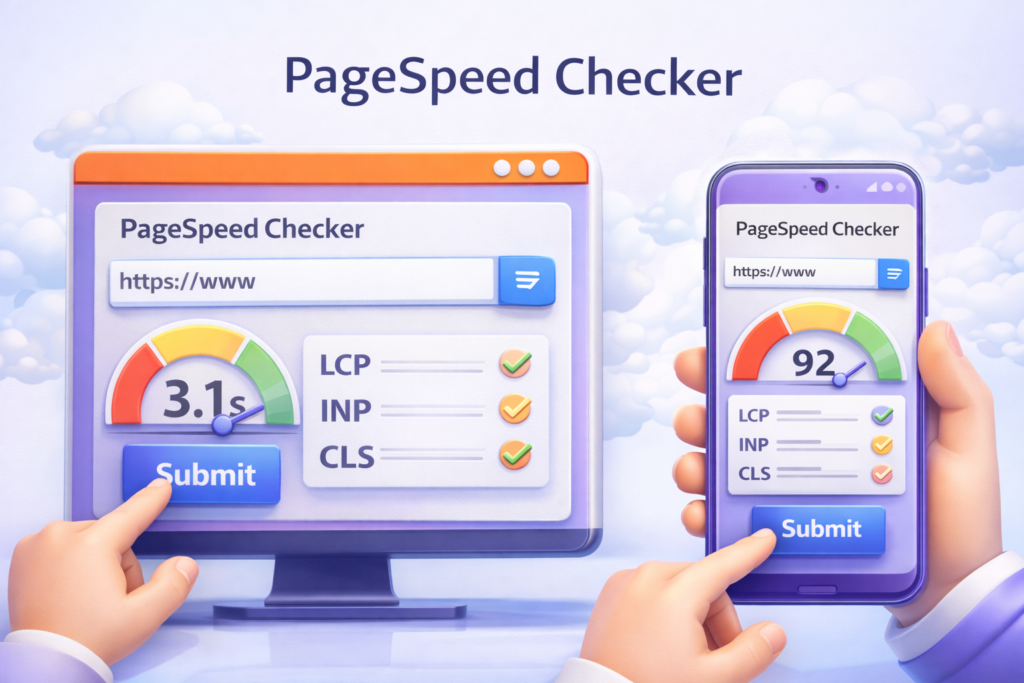
Think of a PageSpeed Checker as your website’s performance report card. But it’s not just checking how fast your page loads—it’s measuring the stuff that actually affects how people experience your site and whether Google thinks you’re worth ranking.
Here’s what gets analyzed:
- How quickly your page loads
- Whether users experience lag when they click or tap
- If your page jumps around while loading
- Performance differences between phones and computers
- Whether you’re meeting Google’s Core Web Vitals standards
What separates PageSpeed Checker from basic speed tests is the SEO angle. It doesn’t just throw numbers at you—it tells you why those numbers hurt your rankings and what needs fixing first.
Here’s a real scenario: Your homepage might be lightning-fast, but that product page or blog post? Could be crawling because of massive images or clunky scripts. PageSpeed Checker pinpoints these problem areas so you’re not wasting time optimizing pages that are already fine.
PageSpeed Checker helps you analyze website speed and Core Web Vitals in seconds.
How a PageSpeed Checker Works
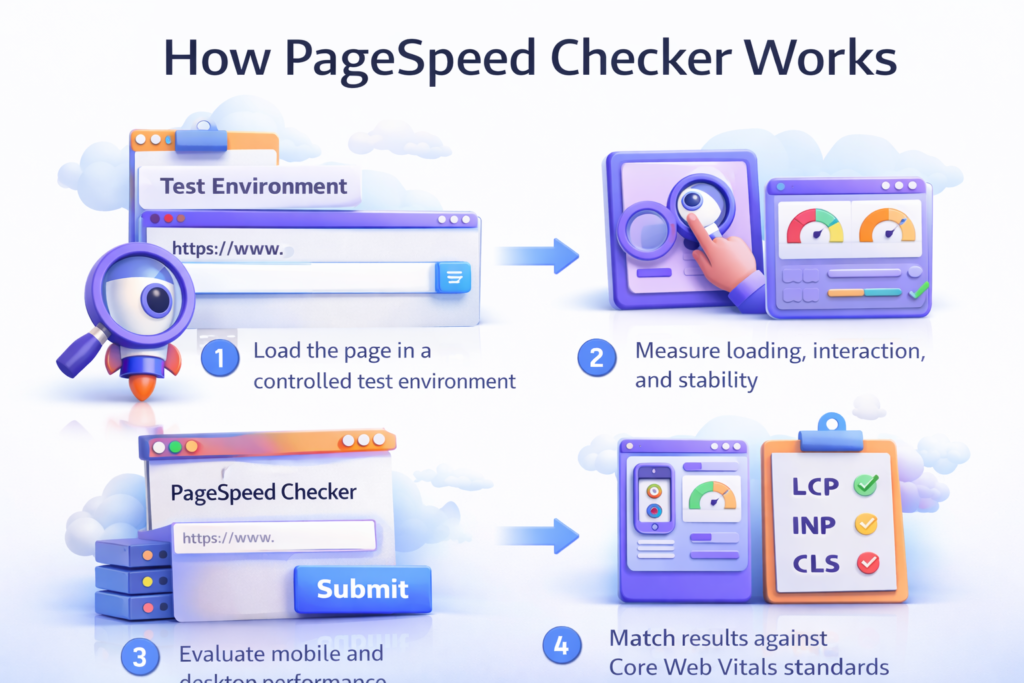
Running the test is straightforward—the technology behind it is sophisticated. When you punch in a URL, here’s what happens:
The tool loads your page in a testing environment that mimics real conditions. It measures three critical phases: loading, interaction, and visual stability. It checks both mobile and desktop versions separately (because they perform differently). Then it compares everything against Google’s Core Web Vitals thresholds.
You’re getting a mix of lab data (controlled testing) and metrics that reflect actual user experiences. The three measurements that matter most:
Largest Contentful Paint (LCP): How fast your main content appears
Interaction to Next Paint (INP): How quickly your site responds to clicks and taps
Cumulative Layout Shift (CLS): Whether your layout stays put or bounces around
Let’s say you test a sluggish page. PageSpeed Checker might reveal that JavaScript is causing interaction delays while enormous images are slowing down your content display. Suddenly, you’ve got a clear roadmap instead of guessing what’s wrong.
Why Page Speed Matters for SEO
Speed is a ranking factor now. Not something Google “considers”—it’s baked into their algorithm through Core Web Vitals. If your site fails these benchmarks, you’re fighting an uphill battle regardless of how good your content is.
Slow sites hurt you in multiple ways:
- People leave immediately (higher bounce rates)
- They don’t stick around long enough to engage (lower dwell time)
- Fewer visitors convert into customers or subscribers
- Search engines struggle to crawl your pages efficiently
From Google’s perspective, slow pages eat up crawl budget. That means fewer of your pages get indexed, and updates take longer to show up in search results.
Picture this comparison: A fast site loads in under two seconds. Visitors stay, explore, and convert. A slow site takes five or six seconds. People bounce before seeing your content, and Google notices.
Using PageSpeed Checker improves your SEO, makes visitors happier, and helps your business grow—all at once.
Google uses Core Web Vitals as official ranking signals for page experience.
Key PageSpeed Metrics Explained
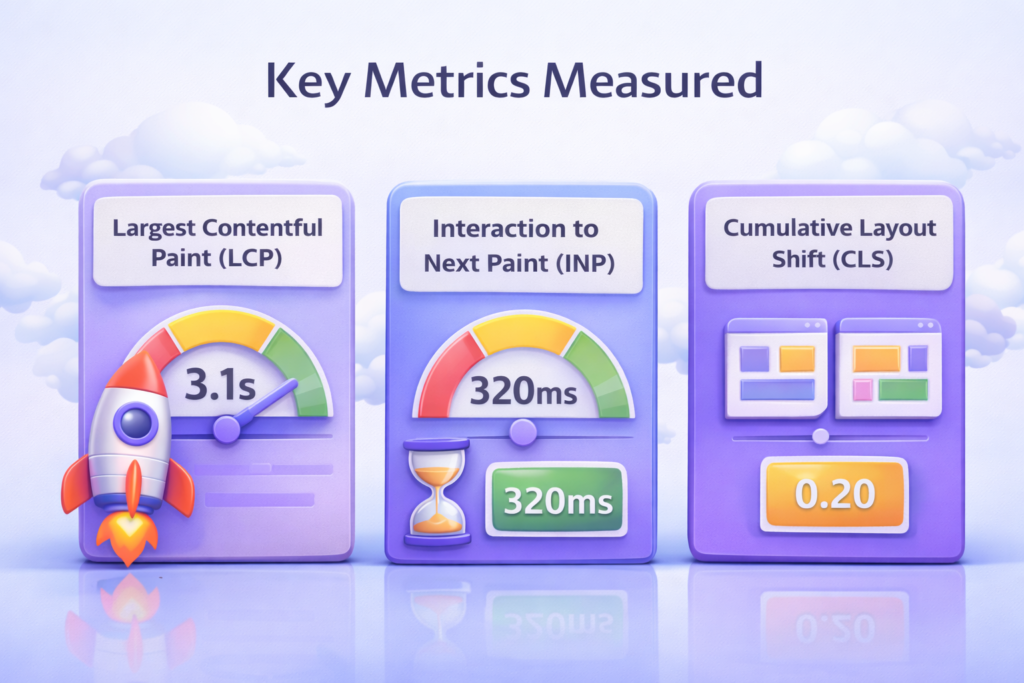
Understanding these metrics is non-negotiable if you want real results. PageSpeed Checker focuses on what actually impacts rankings.
Largest Contentful Paint (LCP)
How fast your main content becomes visible.
Good: ≤ 2.5 seconds
Poor: ≥ 4 seconds
Interaction to Next Paint (INP)
How responsive your site feels when people interact.
Good: ≤ 200 ms
Poor: ≥ 500 ms
Cumulative Layout Shift (CLS)
How stable your page stays while loading.
Good: ≤ 0.1
Poor: ≥ 0.25
| Metric | Good | Needs Improvement | Poor |
| LCP | ≤ 2.5s | 2.5–4s | ≥ 4s |
| INP | ≤ 200ms | 200–500ms | ≥ 500ms |
| CLS | ≤ 0.1 | 0.1–0.25 | ≥ 0.25 |
PageSpeed Checker breaks these scores down clearly so you can tackle the fixes that deliver the biggest SEO improvements first.
How to Use PageSpeed Checker Step-by-Step
Getting real value from PageSpeed Checker requires a systematic approach:
Step 1: Enter the specific page URL (don’t just test your homepage)
Step 2: Run the mobile test first (Google indexes mobile versions)
Step 3: Check your overall performance score
Step 4: Dig into the diagnostics and priority issues
Step 5: Attack high-impact problems before sweating the small stuff
Here’s an example: Your mobile score is sitting at 58. The diagnostics show unoptimized images and render-blocking scripts as the main culprits. Fix those two things, and your score often jumps above 80—with rankings improving in just a few weeks.
Use PageSpeed Checker to check website speed and identify high-impact issues instantly.
Common Page Speed Problems (With Examples)

Most performance headaches come from predictable mistakes:
- Images that haven’t been compressed
- JavaScript and CSS that block rendering
- Unused CSS loading across your entire site
- Too many third-party scripts weighing things down
Real-world example: A blog post takes 6.2 seconds to load. PageSpeed Checker identifies massive images and unused CSS as the villains. After converting images to WebP and stripping out unnecessary styles, load time drops to 2.3 seconds—and the bounce rate plummets.
PageSpeed Checker vs Other Speed Tools
Plenty of tools measure speed, but few actually care about SEO impact.
| Tool Type | Strength | Limitation |
| PageSpeed Checker | SEO-focused, CWV-driven | Designed for ranking improvements |
| Generic speed tools | Technical debugging | Less SEO guidance |
PageSpeed Checker is built for people who care about visibility, rankings, and conversions—not just technical benchmarks.
Best Practices to Improve Page Speed (2026 Edition)
To consistently boost performance in 2026, stick to these proven tactics:
- Convert images to WebP or AVIF formats
- Enable lazy loading for images and videos
- Use a global CDN for faster delivery
- Choose high-performance hosting (it matters more than you think)
- Implement browser and server caching
- Optimize for mobile-first user experience
PageSpeed Checker prioritizes these fixes so you’re working on changes that actually move the needle.
Follow these website performance best practices to improve loading speed and user experience.
Who Should Use PageSpeed Checker?
This tool is perfect for:
- Bloggers chasing low-competition SEO keywords
- SEO professionals fixing Core Web Vitals issues
- E-commerce stores trying to boost conversion rates
- Agencies juggling multiple client websites
- Developers building performance-first sites
If speed affects your traffic, rankings, or revenue—this tool is essential.
PageSpeed Checker FAQs
What is a good PageSpeed score in 2026?
Above 90 is excellent. Below 70 needs immediate attention.
Does PageSpeed Checker affect rankings directly?
The tool itself doesn’t—but the fixes it identifies absolutely do.
How often should I test my website?
Monthly, and after any major updates to content or design.
Why is mobile speed more important than desktop?
Google uses mobile-first indexing for rankings.
Can slow websites still rank?
In low-competition niches, maybe—but performance is becoming a dealbreaker.
Is PageSpeed Checker free to use?
Yes, with advanced insights available for deeper analysis.
You can combine PageSpeed Checker with our SEO audit tool for deeper analysis.
Related Reading: Technical SEO
To strengthen your technical foundation and avoid indexing or performance issues, explore these practical guides:
- Crawl Budget in SEO — how Google allocates crawl resources and how to optimize for it.
- Robots.txt Generator Guide — control what search engines can and cannot crawl.
- XML Sitemap Generator — create and submit sitemaps that improve discovery.
- Google Index Checker — verify which URLs are actually indexed.
- GSC vs Bing Webmaster Tools — when to use each platform and why.
Finally
In 2026, website speed is one of the most controllable SEO advantages you have. Faster pages rank higher, convert better, and give visitors a smoother experience.
PageSpeed Checker gives you clarity—no guessing games. If you’re serious about rankings, performance, and growth, speed is where you start. Test your pages, implement the fixes, and watch what happens.
Start optimizing today—run your site through PageSpeed Checker and improve speed and SEO.