

Quick Answer:
Discovered – currently not indexed means Google knows the URL exists but has not crawled it yet. This usually happens because the page has weak internal priority, sits too deep in the site, overlaps with other content, or sends low-value crawl signals. The real fix is structural improvement, not repeated indexing requests.
Quick Fix Summary
If a page is stuck in discovered – currently not indexed, check five things first: internal links, crawl depth, sitemap quality, canonical setup, and content differentiation. In most cases, the page is not blocked, it is simply low in Google’s crawl priority queue.
What Usually Causes Discovered – Currently Not Indexed
| Cause | What It Means |
|---|---|
| Weak internal links | Google sees low page importance |
| Deep crawl depth | Page is harder to prioritize |
| Sitemap clutter | Signals are mixed or diluted |
| Content overlap | Google delays crawl evaluation |
| Weak site authority | Crawl scheduling is slower |
When I First Saw “Discovered – Currently Not Indexed” (And What I Misunderstood)
The first time I saw discovered currently not indexed in Google Search Console, I thought something was broken.
I had submitted the sitemap.
The page returned 200.
No manual actions.
Yet 14 URLs were just sitting there — discovered but untouched.
For two days, I kept requesting indexing.
Nothing changed.
That’s when I realized something uncomfortable:
Google wasn’t rejecting my pages.
It just didn’t think they were important enough to crawl yet.
And that shift in understanding changed how I approach discovered currently not indexed forever.
What Discovered – Currently Not Indexed Actually Means
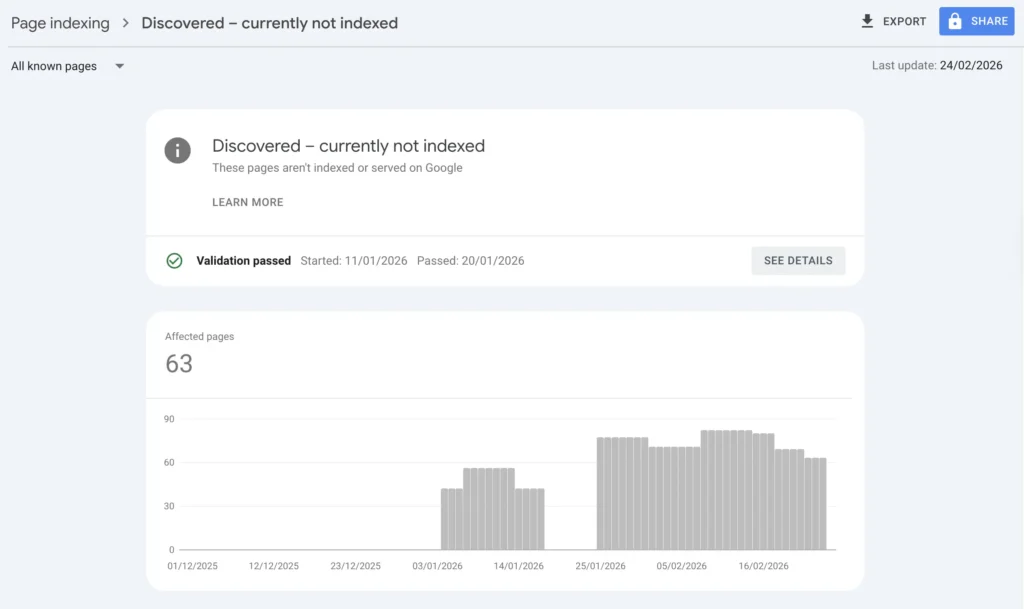
When a page is labeled discovered currently not indexed, Google:
- Knows the URL exists (via sitemap or internal links)
- Has placed it in its crawl queue
- Has not fetched the content yet
According to Google’s official documentation on indexing and crawling (Google Search Central), this status means the URL is known but scheduled for crawling later based on system priority.
This is not a penalty.
It is a priority delay.
Let’s compare it clearly:
| Status | Crawled? | Indexed? | What It Signals |
|---|---|---|---|
| Discovered – Currently Not Indexed | ❌ | ❌ | Low crawl priority |
| Crawled – Currently Not Indexed | ✅ | ❌ | Content evaluation issue |
| Blocked by robots.txt | ❌ | ❌ | Technical restriction |
| Indexed | ✅ | ✅ | Fully processed |
If your page is discovered but not indexed, Google has not evaluated the content yet. It simply hasn’t allocated crawl resources.
That distinction matters.
If you’re trying to understand how this differs from pages that were already fetched but still not indexed, I break that down clearly in my guide on Crawled – Currently Not Indexed (Why Google Saw Your Page But Didn’t Keep It).
The difference is critical: one is a crawl priority issue, the other is a post-crawl evaluation decision. Confusing the two leads to the wrong fix.
The Turning Point: I Stopped Forcing Google
Early on, I treated discovered currently not indexed like an emergency.
I kept clicking “Request Indexing.”
Still nothing.
So instead of pushing harder, I audited structure.
I compared indexed URLs vs discovered URLs.
Here’s what I found.
Indexed vs Discovered Pages (My Own Audit)
| Indexed Pages | Discovered Currently Not Indexed Pages |
|---|---|
| 2–3 clicks from homepage | 4–5 clicks deep |
| Linked from strong articles | Weak internal linking |
| Clear intent separation | Slight keyword overlap |
| Clean sitemap signals | Mixed or low-priority URLs |
It wasn’t random.
It was structural hierarchy.
If you understand how crawl budget works — which I explained in my breakdown on what is crawl budget in SEO — you’ll see why.
Google crawls by priority.
Not by submission order.
How Google’s Crawl Queue Actually Works (Simplified)
Think of it this way:
- URL is discovered.
- Google evaluates:
- Internal link weight
- Domain authority signals
- Server stability
- Content uniqueness
- It assigns crawl priority.
- It schedules fetch.
If signals are weak, the page remains in discovered currently not indexed.
It’s not blocked.
It’s waiting.
And waiting pages don’t rank.
Why Repeated Indexing Requests Usually Do Not Work
One of the biggest mistakes with discovered – currently not indexed is assuming that repeated indexing requests will force Google to crawl the page. In most cases, they do not. If the page still looks low priority from a structural point of view, Google simply keeps it in the queue. That is why the real fix usually comes from stronger internal signals, cleaner sitemap logic, and clearer page value.
My 4-Step Structural Fix System
This is the exact system I now use when a page is stuck as discovered currently not indexed.
Step 1: Confirm Technical Cleanliness (No Hidden Friction)
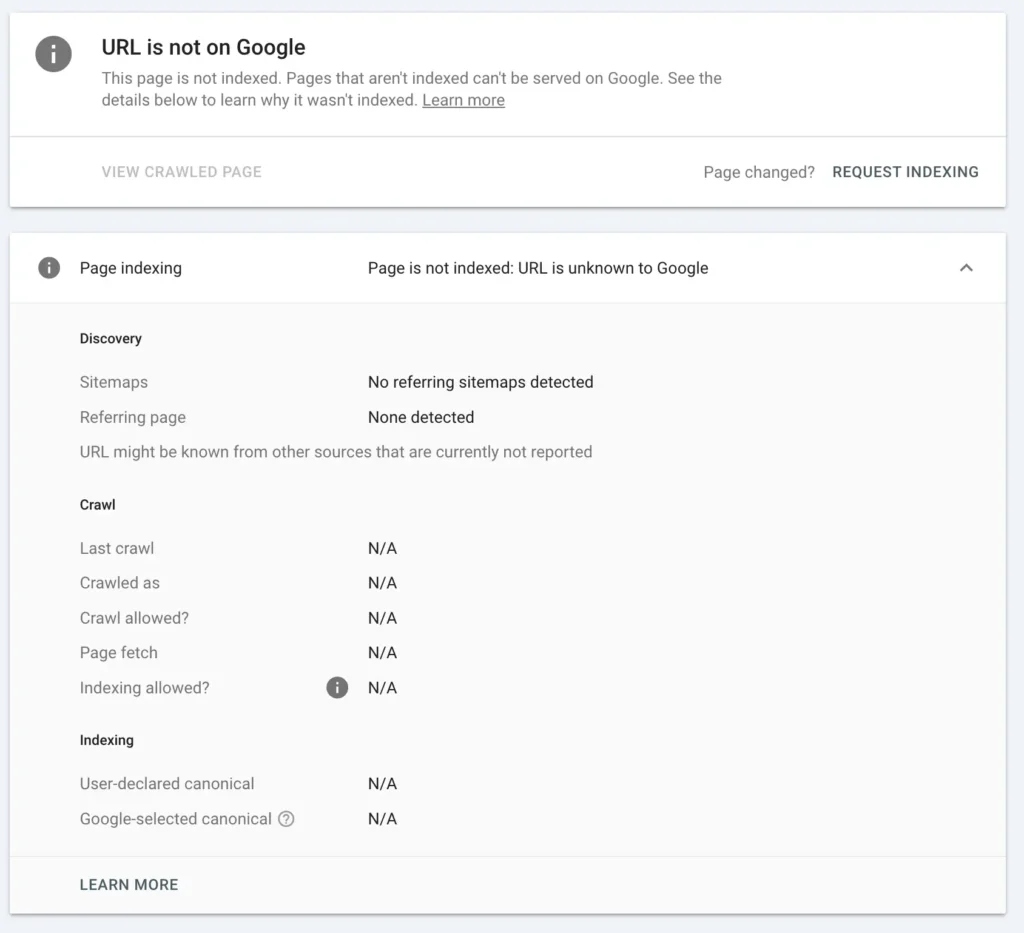
Before strengthening signals, I verify the page is technically perfect.
I check:
- 200 status code
- No redirect chain
- Canonical alignment
- Not blocked in robots.txt
I usually confirm using:
- Google Index Checker
- WWW Redirect Checker
- Robots.txt Generator
Tip: if you want to use all the tools I listed above, and for free, check our SEO Tools library
If redirect logic is messy, I fix it cleanly using a proper .htaccess redirect generator instead of stacking temporary rules.
Even small redirect friction reduces crawl confidence.
And yes — I’ve seen redirect loops keep pages stuck in discovered currently not indexed longer than expected.
Step 2: Strengthen Internal Authority Flow
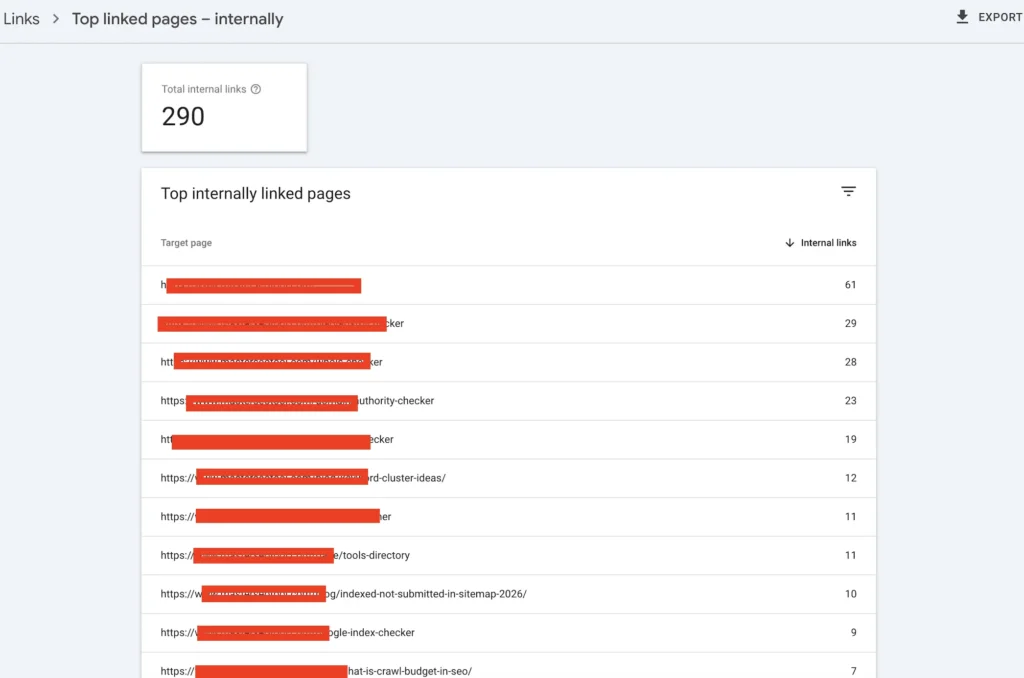
This is the real lever.
When I fixed my 14 stuck URLs, I didn’t add backlinks.
I added contextual internal links from higher-authority posts.
For example:
- From my article about why page not indexed by Google
- From related indexing cluster content
- From stronger traffic pages
The key is contextual anchoring.
Not “click here.”
But intent-aligned anchor phrases like discovered currently not indexed fix within meaningful paragraphs.
Internal linking is not volume-based.
It’s signal-based.
If no strong page references it, Google assumes it’s low priority.
Step 3: Clean and Reinforce Sitemap Signals
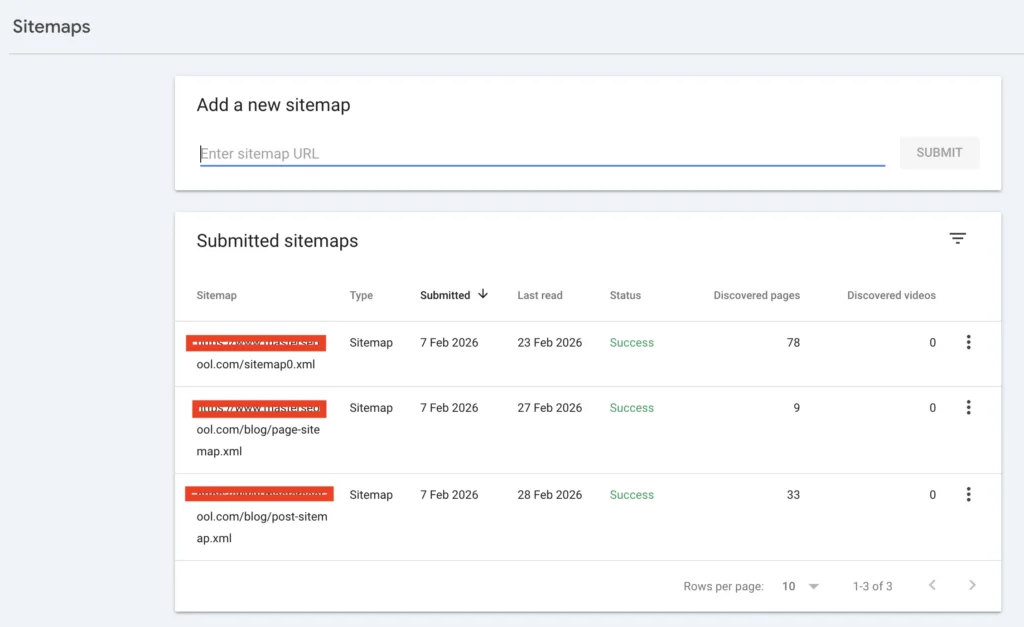
Submitting a sitemap does not force crawling.
Google treats it as a hint.
But messy sitemaps reduce trust.
I regenerate structured sitemaps using an XML Sitemap Generator, ensuring:
- Only indexable URLs included
- No redirected pages
- Updated lastmod timestamps
- No thin pages
Then I monitor movement using Google Index Checker to see if crawl scheduling improves.
If your sitemap contains weak URLs, Google may deprioritize the entire batch.
That’s a nuance most people ignore.
Step 4: Clarify Intent Differentiation
This part is subtle — but powerful.
Some of my stuck pages overlapped with other posts.
Even slight keyword cannibalization can slow crawl priority.
Example separation:
| Page Type | Intent |
|---|---|
| Crawl budget explanation | Educational theory |
| Discovered currently not indexed fix | Practical troubleshooting |
When I clarified positioning, crawl movement improved.
Google favors clarity.
If two pages compete internally, neither gains strong priority.
How Long Does It Take to Recover?
If the page is on a newer site, movement can take 7 to 21 days. On a more established site, it can happen much faster once crawl signals improve. What matters most is not forcing the request again, but improving the structural signals that decide crawl priority in the first place.
Why New Sites See Discovered – Currently Not Indexed More Often
If your domain is under 3 months old, expect more pages to sit as discovered currently not indexed.
On newer sites:
- Crawl frequency is conservative.
- Authority signals are forming.
- Internal link equity is thin.
Here’s what I’ve observed:
| Domain Age | Average Time in Discovered |
|---|---|
| < 2 months | 7–21 days |
| 3–6 months | 3–10 days |
| Established | 1–5 days |
This is normal.
Structural consistency reduces duration.
The 4 Mistakes That Keep Pages Stuck
Be honest with yourself:
❌ Re-requesting indexing repeatedly
Does not increase crawl priority.
❌ Publishing similar articles
Creates hesitation in evaluation.
❌ Ignoring site architecture depth
Deep pages are deprioritized.
❌ Bloated sitemap strategy
Weak URLs dilute crawl trust.
A Quick Self-Audit for Discovered Currently Not Indexed
Before overreacting, check:
- Is the page within 3 clicks?
- Does a strong article link to it?
- Is intent clearly unique?
- Is it inside a clean XML sitemap?
- Does it return 200 without redirect?
If multiple answers are no, that explains why it remains discovered but not indexed.
The Shift That Changed Everything for Me
Once I stopped seeing discovered currently not indexed as a problem and started seeing it as feedback, my indexing consistency improved.
Google wasn’t ignoring me.
It was prioritizing.
And when I aligned my structure with that reality, pages moved from discovered → crawled → indexed predictably.
Not instantly.
But systematically.
That’s the difference between guessing and building authority.
FAQs
How long can a page stay in Discovered – Currently Not Indexed?
On new domains, it can remain there 7–21 days. On stronger domains, it may move within a few days. If it exceeds 3–4 weeks, structural signals likely need reinforcement.
What is the fastest way to move a page out of Discovered – Currently Not Indexed?
The fastest lever is contextual internal linking from higher-authority pages. Not re-requesting indexing. Crawl priority increases when internal equity increases.
Can low-quality hosting affect Discovered – Currently Not Indexed?
Yes. If Google detects slow response time or unstable servers, crawl allocation may decrease. Server stability influences crawl scheduling.
Does Discovered – Currently Not Indexed affect rankings?
Indirectly. The page cannot rank because it has not been crawled or indexed yet. The longer it remains undiscovered by crawler fetch, the longer it remains invisible.
Should I build backlinks to a page stuck in Discovered?
Only after internal structure is optimized. External links without internal reinforcement create inconsistent signals.
Is Discovered – Currently Not Indexed a crawl budget problem?
Sometimes. On small sites, it’s usually structural priority. On large sites, it can relate to crawl budget allocation.