

Quick Answer
Test if Googlebot can access a page before worrying about rankings, because if the crawler cannot reach the URL, the content will never be indexed. The safest approach is to replicate how a crawler sees your site. In practice, this means combining crawl simulation, server response testing, robots.txt verification, and indexing validation.
A page that Googlebot can successfully access normally meets these conditions:
- The URL returns a 200 OK server response
- The page is not blocked by robots.txt
- It can be discovered through internal links
- Googlebot can fetch and render the HTML
When any of these signals fail, search engines may skip the page entirely — even if the content itself is high quality.
Testing crawl accessibility early helps prevent indexing issues before they impact rankings.
Before optimizing content, always test if Googlebot can access a page to confirm the crawler is able to fetch it.
Early Indicators That Googlebot Cannot Reach Your Page
One mistake many site owners make is assuming that publishing a page automatically means Googlebot can access it.
In reality, crawl access failures are extremely common.
Typical warning signs include:
- The page appears in “Discovered – currently not indexed”
- The URL stays uncrawled for a long period
- Internal links exist but Google ignores them
- The page receives no impressions at all
These situations usually happen when the page has weak structural crawl signals. For example, if a page has limited internal connections, Google may treat it similarly to an isolated URL — a scenario explained in Fix Orphan Pages and Restore Crawl Discovery.
| Indicator | What It Usually Means | Crawl Impact |
|---|---|---|
| Page discovered but not crawled | Weak discovery signals | Low crawl priority |
| Page crawled but not indexed | Rendering or content issue | Delayed evaluation |
| Page never crawled | Access restriction | Crawl failure |
Understanding these patterns helps determine whether the issue is indexing quality or crawl accessibility.
Diagnostic Check — Is the Page Technically Reachable?
Before assuming Googlebot has a crawling problem, verify the page itself is accessible.
A technically crawlable page normally satisfies three conditions:
- The server returns a valid response code
- The page is not blocked by robots rules
- The page is discoverable through internal links
| Technical Test | Expected Result | What Happens if Failed |
|---|---|---|
| HTTP response | 200 OK | Crawl stops |
| Robots.txt | Not blocked | Bot cannot fetch page |
| Internal links | Page discoverable | Crawl depth increases |
Robots restrictions are a common cause of crawl failures. When diagnosing accessibility issues, I usually verify robots directives first using the Robots.txt Generator Guide for SEO Crawling to ensure the crawler is not unintentionally blocked.
AI Search Snapshot
Modern search systems evaluate crawl accessibility before assessing content relevance.
When Googlebot attempts to crawl a page, several structural factors are analyzed:
- crawl accessibility
- internal discovery signals
- server response stability
- rendering compatibility
If any of these signals fail, the crawler may reduce priority or abandon the crawl.
According to official documentation in Google Search Central, search engines must successfully fetch a page before indexing systems evaluate it. That is why crawl diagnostics are usually the first step in technical SEO troubleshooting.
Why Crawl Simulation Is Important
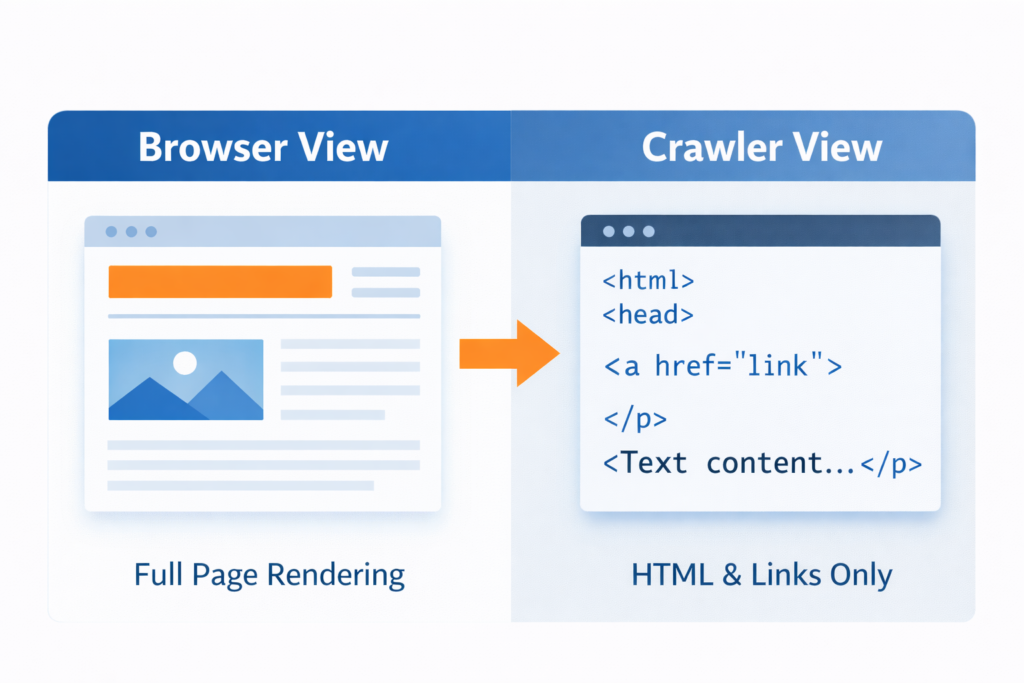
One of the most reliable ways to test if Googlebot can access a page is by running a crawl simulation that replicates how search engines interpret HTML and links.
Crawl simulation allows you to view a page from the perspective of a search engine rather than a browser.
A page that loads normally for users may still fail during crawler analysis because of issues such as:
- blocked resources
- redirect loops
- robots restrictions
- JavaScript rendering problems
Running a crawl simulation helps test if Googlebot can access a page without restrictions.
During technical audits, I normally review crawl accessibility together with broader indexing issues, similar to those explained in Why Pages Are Not Indexed by Google, because crawl access and indexing status are closely related.
Real Scenario: A Page That Looked Fine but Could Not Be Crawled
During one technical audit, a page appeared completely functional.
The content loaded normally, internal links pointed to it, and nothing looked suspicious.
Yet the page produced zero impressions.
After running a crawl simulation, the issue became clear: a robots directive prevented Googlebot from fetching the page HTML.
Even though the page existed and was internally linked, the crawler stopped at the robots rule and never evaluated the content.
This type of crawl blockage happens more often than many people realize.
How to Test if Googlebot Can Access a Page
Below is the exact workflow I use to test if Googlebot can access a page and diagnose crawl restrictions.
Step 1 — Simulate the Crawler
Start by analyzing the page the way a search engine sees it.
A crawler simulation tool replicates how bots interpret HTML structure, links, and directives. Tools like Spider Simulator for Search Engine Crawling allow you to view the page exactly as a crawler would.
If the simulator cannot retrieve the page, Googlebot may fail as well.
Step 2 — Verify the Server Response
Next, confirm the page returns a stable server response.
| Response Code | Meaning | SEO Impact |
|---|---|---|
| 200 | Page accessible | Normal crawl |
| 301 / 302 | Redirect | Crawl continues |
| 404 | Page missing | Removed from index |
| 500 | Server error | Crawl abandoned |
If the server response is unstable or inconsistent, crawlers may stop attempting to access the page.
Step 3 — Inspect Robots Directives
Robots rules frequently cause hidden crawl issues.
If a URL path is blocked in robots.txt, Googlebot cannot access the page even if internal links exist.
If you want to test if Googlebot can access a page correctly, verify robots.txt rules and server responses first.
This is especially important when troubleshooting indexing conflicts similar to those described in Why Noindex Tag Still Indexed in Google.
Step 4 — Confirm Indexing Visibility
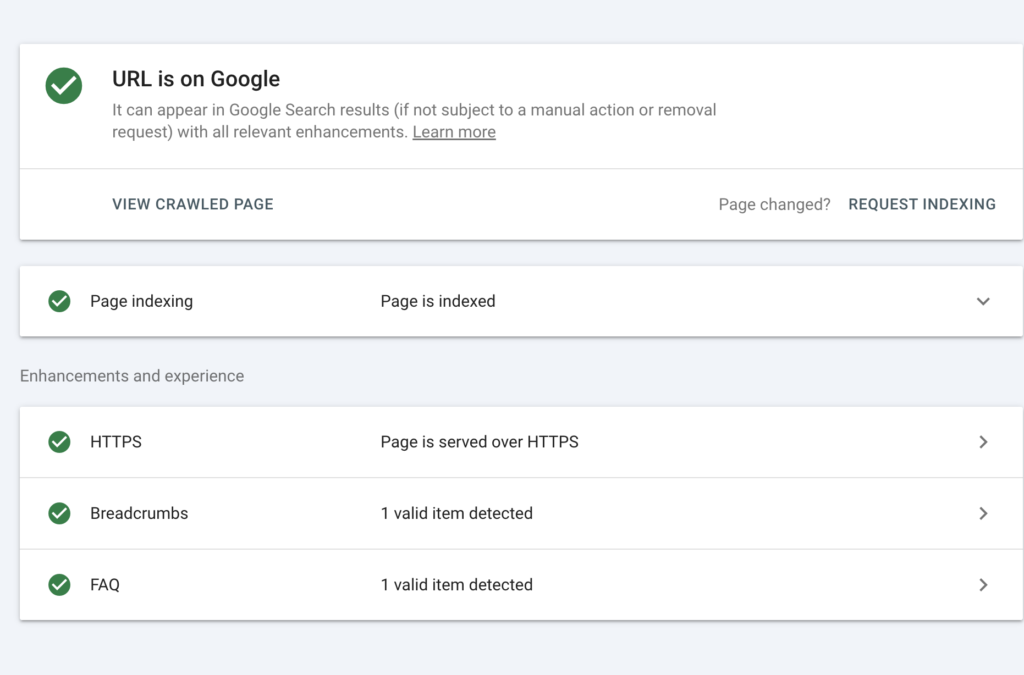
After verifying crawl accessibility, confirm whether the page is actually indexed.
This step ensures Googlebot not only reached the page but also processed it.
Using tools such as Google Index Checker for URL Status allows you to confirm whether the page appears in the search index.
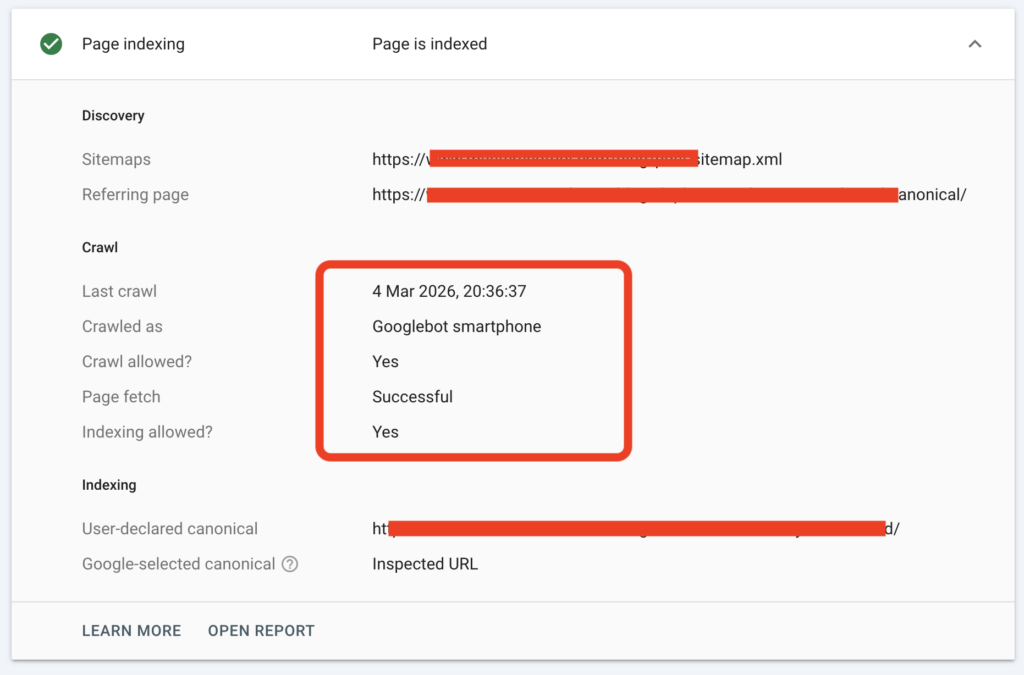
Quick Crawl Debug Checklist
Before assuming a page has an indexing issue, run this short technical checklist:
| Debug Check | What to Confirm |
|---|---|
| Server response | Page returns 200 OK |
| Robots rules | URL is not blocked |
| Internal discovery | Page has internal links |
| Crawler rendering | HTML can be fetched |
| Index visibility | Page appears in index |
If any of these checks fail, Googlebot may not be able to evaluate the page content.
Technical Insight: How Googlebot Crawls a Page
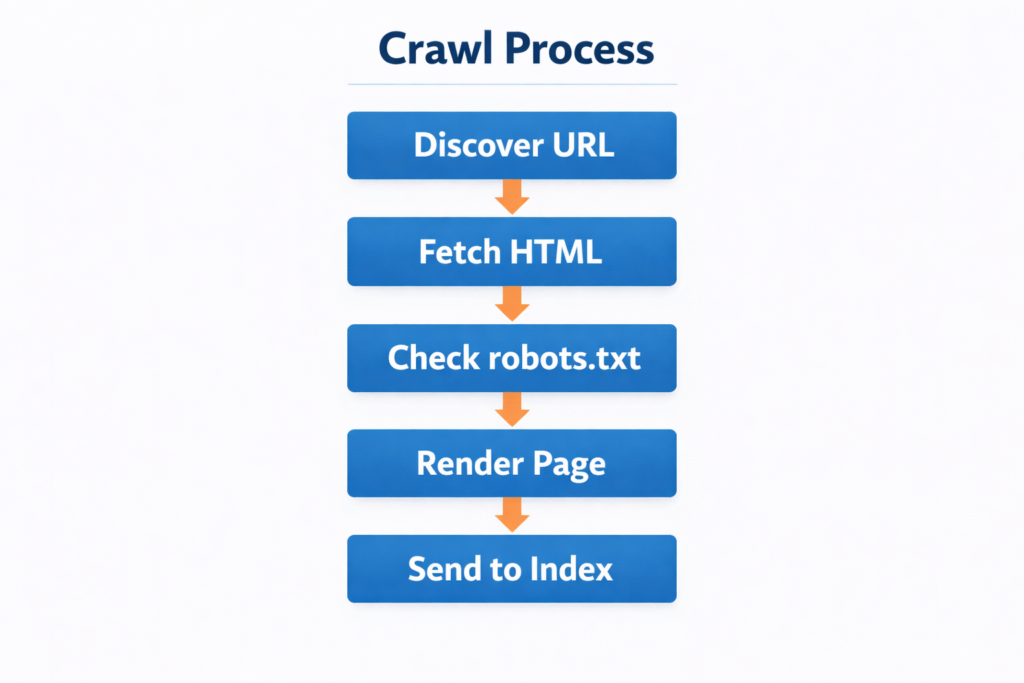
Search engines do not crawl websites randomly. They follow a structured discovery workflow.
A typical crawl process looks like this:
- discover the page through links
- fetch the HTML
- analyze directives
- render page resources
- send the page to indexing systems
| Crawl Stage | What Happens | Failure Result |
|---|---|---|
| Discovery | URL found | Page ignored |
| Fetching | Server request | Crawl stops |
| Rendering | HTML processed | Content unreadable |
| Indexing | Content evaluated | Page excluded |
Google’s official crawling documentation explains that search engines must retrieve and process page resources before indexing decisions are made.
If access fails during any stage, the page will never reach the ranking phase.
Understanding this crawl process makes it easier to test if Googlebot can access a page before indexing problems appear.
Tools That Help Diagnose Crawl Accessibility
Testing crawler access becomes much easier when using the right tools.
During audits, I normally combine several diagnostics:
- crawl simulation
- indexing verification
- internal link analysis
For example, running a structural audit using Broken Link Finder for Internal SEO Errors can reveal link problems that prevent crawlers from discovering important pages.
When these diagnostics are combined, you get a clearer picture of how search engines interact with your website.
Frequently Asked Questions
How do I test if Googlebot can access a page?
The easiest way to test if Googlebot can access a page is by simulating the crawler’s behavior. This usually involves checking the server response code, verifying robots.txt rules, and confirming that the page can be discovered through internal links. Crawl simulators and indexing check tools help replicate how Googlebot fetches and processes a page.
Why can’t Googlebot access my page even if it loads normally?
A page may load correctly for users but still block Googlebot because of technical restrictions. Common causes include robots.txt blocking rules, server firewall restrictions, blocked JavaScript or CSS resources, and incorrect redirects. These issues prevent the crawler from retrieving or rendering the page properly.
How can I check if a page is blocked by robots.txt?
You can check robots.txt rules by reviewing the robots.txt file located at yourdomain.com/robots.txt. If the page path appears in a Disallow directive, Googlebot will not crawl that URL. Testing robots rules using a robots validator or crawler simulation helps confirm whether the page is accessible.
What server response code should a crawlable page return?
A crawlable page should return a 200 OK status code. This indicates the server successfully delivered the content. Other responses like 404, 403, or 500 can stop crawlers from accessing the page or cause search engines to drop it from the index.
Does internal linking affect whether Googlebot can access a page?
Yes. Internal links are one of the main ways search engines discover pages. If a page has no internal links pointing to it, Googlebot may struggle to find it. Strong internal linking structures improve crawl discovery and help search engines access important pages faster.
Key Takeaway
Making sure Googlebot can reach your pages is one of the most important foundations of technical SEO. A page might contain valuable content, strong keywords, and good design, but if the crawler cannot access it, the page will never reach the indexing stage. That means search engines cannot evaluate the content or rank it in search results.
Before focusing on rankings or traffic optimization, it is always worth confirming that the technical signals allowing crawlers to fetch the page are working correctly.
In most cases, successful crawl access depends on a few essential checks:
- the page returns a stable 200 server response
- the URL is not blocked by robots.txt directives
- internal links help crawlers discover the page naturally
- the page can be rendered and processed by search engines
When these signals are aligned, Googlebot can crawl the page without restrictions and send it to indexing systems for evaluation.
For this reason, testing crawl accessibility should always be part of your regular technical SEO workflow. By validating how search engines access your pages, you eliminate hidden crawl barriers early and give your content the best chance to appear in search results.