

Quick Answer
If you notice backlinks not showing in Google Search Console, it usually does not mean the links disappeared or were ignored.
In most cases, the backlink exists but Google has not yet processed or reported it inside the Search Console link report.
Google Search Console shows only a subset of backlinks from Google’s internal link graph, not the entire backlink profile. Because of this, many SEO tools detect links earlier while Google may report them later.
This is why website owners frequently see backlinks detected in SEO tools but not appearing in Google Search Console.
One common reason website owners panic is seeing backlinks not showing in Google Search Console even though the links clearly exist on other websites. In most cases, this happens because Google’s reporting system processes backlink data slower than external SEO tools.
Why Backlinks Do Not Appear in Google Search Console
Backlinks may not appear in Google Search Console when:
• Google has not crawled the linking page yet
• the linking page is not indexed
• Google filters the link from reports
• the Search Console backlink dataset has not updated yet
Symptoms of Backlinks Not Showing in Google Search Console
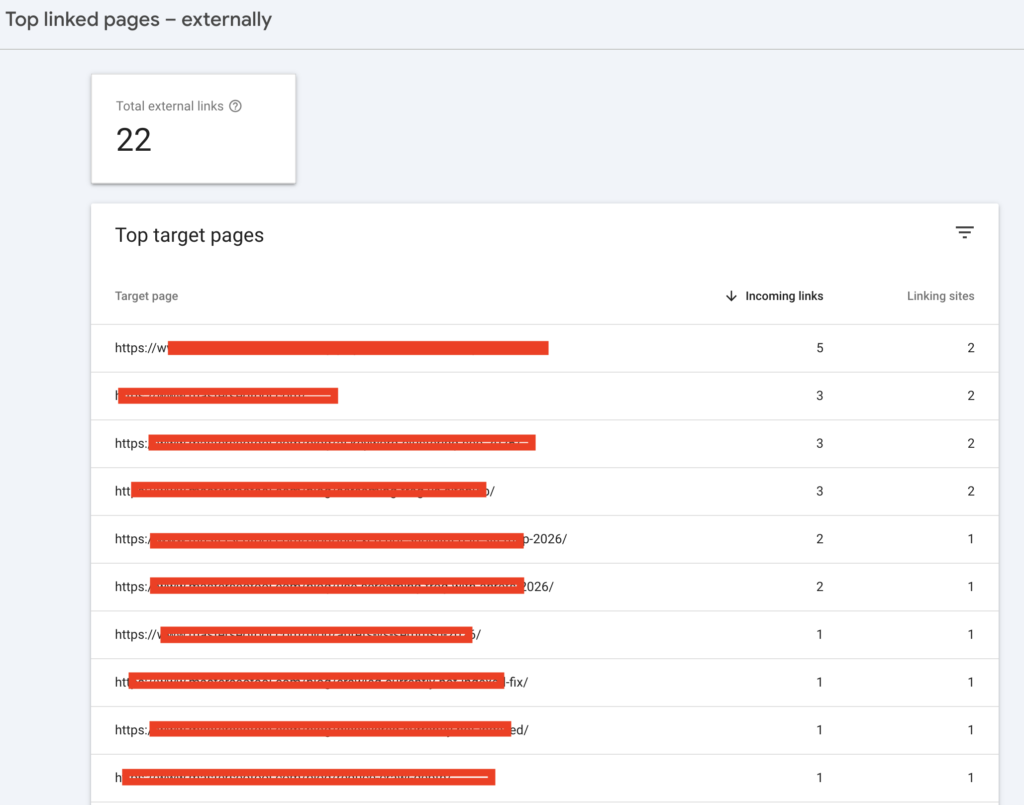
When this issue occurs, the pattern usually looks like this:
• SEO tools show new referring domains
• Google Search Console shows fewer backlinks
• backlinks appear in tools but not inside the GSC links report
• recently built links take weeks before appearing
I see this especially when checking backlinks after publishing guest posts or directory links. Tools detect them quickly, but Google Search Console often lags behind.
This situation leads many people to search for explanations like:
- backlinks not appearing in Google Search Console
- backlinks missing in Search Console
- GSC not showing backlinks
- backlinks detected but not showing in GSC
In reality, most of these cases come down to how Google processes backlink data.
When this pattern appears, it usually signals a reporting delay rather than a real problem with backlinks not showing in Google Search Console.
Decision Framework: Is the Backlink Missing or Just Delayed?
Before assuming something is wrong, I usually evaluate a few signals. This helps determine whether the issue is a reporting delay, indexing problem, or crawl limitation.
First question:
Is the linking page indexed in Google?
If the linking page itself is not indexed, Google cannot process the backlink. Situations like this often happen in cases explained on the why page not indexed by Google.
Second question:
Can Googlebot crawl the page?
If the linking page blocks crawlers or returns an error response, the backlink cannot be processed. A useful verification method is explained in test if googlebot can access a page.
Third question:
Is the link new?
If the backlink was created recently, it may simply not have reached Google’s reporting system yet.
From my experience, most cases where backlinks are not showing in Google Search Console are simply a processing delay rather than an SEO problem.
AI Search Summary
Backlinks not showing in Google Search Console usually happen because Google and SEO tools collect backlink data differently.
SEO tools rely on independent web crawlers that discover links quickly, while Google reports backlinks only after a page is crawled, indexed, evaluated, and added to the Search Console dataset.
Because Search Console displays only a sample of Google’s backlink data, it is common for links to appear in SEO tools before they appear in Google Search Console.
This delay explains why many users see backlinks detected but not showing in GSC, even though the links exist on the web.
Why Backlinks Not Showing in Google Search Console Happens
Many website owners assume that Google Search Console displays every backlink pointing to a website.
That assumption is wrong.
Google Search Console shows only a portion of backlinks selected from Google’s link graph database.
Google itself confirms in Google Search Central documentation that link reports are not exhaustive.
This means that two tools can show completely different backlink counts while both remain technically correct.
Cause 1: Data Source Difference Between SEO Tools and Google
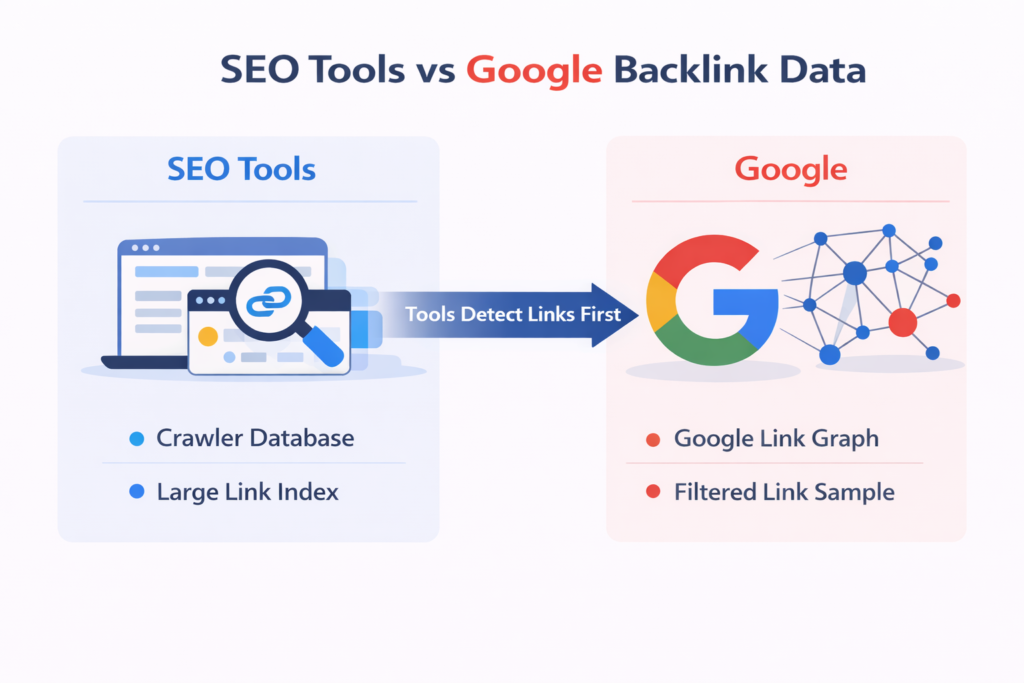
SEO tools and Google collect backlink data using different systems.
Because of this difference, many SEO professionals notice backlinks not showing in Google Search Console even when tools already detected them.
| Source | How Links Are Discovered | Coverage |
|---|---|---|
| SEO tools | independent crawlers scanning the web | large link database |
| internal indexing system | filtered backlink sample |
SEO tools may detect links before Google even crawls the page.
This is why it is common to see backlinks detected in tools but not showing in Google Search Console.
Cause 2: Google Backlink Processing Delay
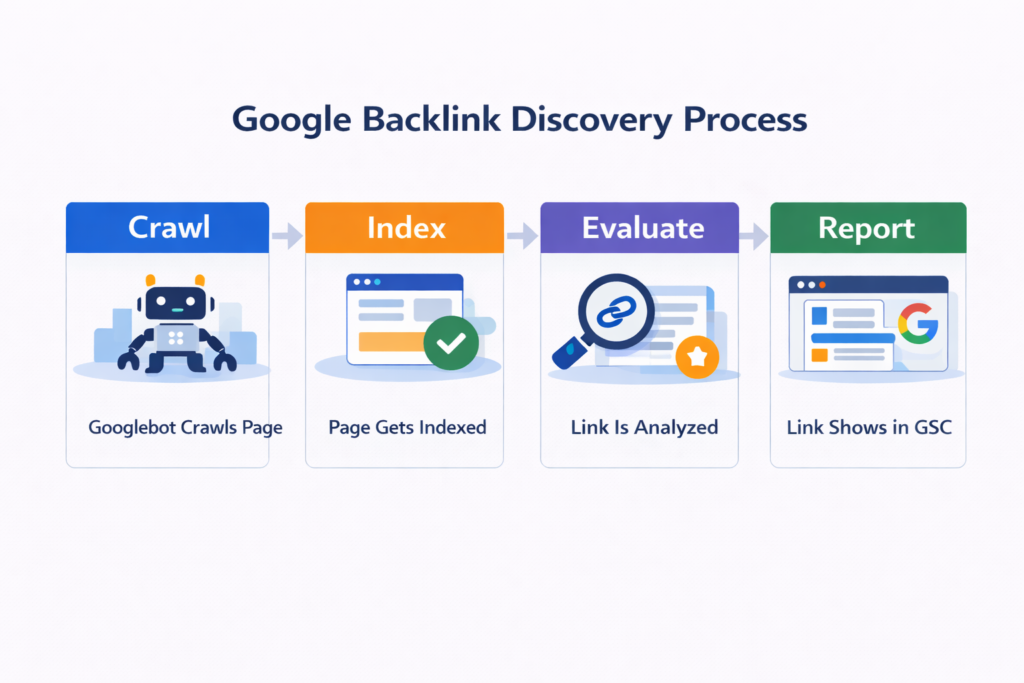
Google processes backlinks through several stages before they appear in reports.
| Stage | Description |
|---|---|
| Discovery | Google finds the linking page |
| Crawl | Googlebot fetches the page |
| Index | Page becomes indexed |
| Link evaluation | Google analyzes the link |
| Reporting | Link may appear in GSC |
Because these systems operate at massive scale, the reporting stage may take days or even weeks.
Cause 3: Google Filters Some Links
Not every backlink discovered by Google appears in Search Console.
Google may ignore or filter links coming from:
• low-quality pages
• rarely crawled domains
• pages excluded from the index
• unstable or temporary pages
Even if the link exists, Google may choose not to include it in the GSC link report.
Real SEO Scenario: What I Often See in Practice
Let me explain a real pattern I’ve seen many times while auditing websites.
A website publishes a guest article on another blog and includes a backlink. Within a day or two, backlink tools detect the link because their crawlers scan the page quickly.
The site owner then checks Google Search Console expecting the link to appear immediately. But nothing shows up.
At this stage many people assume the backlink is broken, ignored, or blocked.
What actually happens is much simpler.
Google has not yet processed the linking page.
For example, a typical timeline looks like this:
Day 1
The article containing the backlink goes live.
Day 2
SEO tools detect the backlink through their crawler database.
Day 6
Googlebot discovers the page.
Day 10
The page becomes indexed.
Day 18–30
The backlink may finally appear inside Google Search Console.
I see this frequently when reviewing backlinks during site audits or when analyzing links using why backlinks not indexed fix
So when someone tells me their backlinks are not showing in Google Search Console, the first thing I do is check whether the linking page itself has been processed by Google.
Verification Steps I Use to Confirm Backlinks
When I want to confirm whether a backlink should appear in GSC, I follow a simple checklist.
| Verification Check | Why It Matters |
|---|---|
| linking page indexed | Google must index the page first |
| backlink visible in HTML | the link must exist in page source |
| page crawlable | Googlebot must access the page |
| page not blocked | robots or noindex cannot block indexing |
First I verify that the linking page is indexed.
Then I check whether the backlink exists in the HTML code.
If I want to inspect backlinks across domains quickly, I analyze them using a backlink checker.
To confirm whether the linking page is indexed, I sometimes run it through a google index checker.
If the linking domain itself looks weak or rarely crawled, I also check its strength using a domain authority checker.
These checks usually explain why backlinks are missing in Google Search Console.
Technical Insight: How Google’s Link Graph Works
Google maintains a massive internal database called the link graph, which maps relationships between billions of pages.
Every time Google crawls the web, it updates this dataset.
However, Search Console does not expose the entire link graph. Instead, it exports only a sample of backlinks considered useful for site owners.
This difference becomes clearer when comparing platforms like Google Search Console vs Bing Webmaster Tools.
Because this export process happens periodically, backlink reports inside GSC often update in batches rather than instantly.
Google also explains how crawling and indexing influence link discovery in Google Search Central documentation about crawling and indexing.
Understanding this system makes it clear why backlinks detected in tools may still appear as backlinks not showing in Google Search Console.
FAQs
Why are backlinks not showing in Google Search Console?
Backlinks may not appear in Google Search Console because Google reports only a sample of links from its internal link graph.
If the linking page has not been crawled, indexed, or processed yet, the backlink may exist on the web but still not appear in the Search Console links report.
How long does it take for backlinks to appear in Google Search Console?
Backlinks can appear in Google Search Console within a few days or several weeks.
Google must first discover, crawl, and index the linking page, then process the link relationship before it becomes visible in the link report.
Why do SEO tools show backlinks that Google Search Console does not?
SEO tools run their own independent web crawlers, which means they may detect backlinks earlier than Google.
Google Search Console only shows links that have been fully processed inside Google’s indexing systems, which explains why some backlinks appear in tools but not in GSC.
Can a backlink exist but never appear in Google Search Console?
Yes. Google may filter some backlinks from its reports.
Links coming from low-quality pages, rarely crawled websites, or pages excluded from the index may exist but never appear in the Search Console backlink dataset.
How can I verify if a backlink actually exists?
You can verify backlinks by checking:
• whether the linking page is indexed
• whether the link exists in the HTML code
• whether the page allows Googlebot crawling
Tools like a backlink checker can help confirm if the backlink is detected on the web.
Does Google Search Console show all backlinks to a website?
No. Google Search Console does not display the full backlink profile.
It provides only a representative sample of backlinks to help website owners understand their link structure, not a complete backlink database.
Key Takeaway
When I analyze backlink data, I never assume that Google Search Console reflects the entire backlink profile of a website.
Search Console simply provides a partial view of Google’s internal link graph, and that view updates only after Google processes pages through its crawl and indexing systems.
Because SEO tools rely on independent crawlers while Google uses its own indexing pipeline, it is normal to see backlinks detected in tools but not yet visible in Google Search Console.
In practice, the best approach is straightforward: verify that the linking page is indexed, confirm that the backlink exists, and allow Google time to process the page.
Most of the time, when backlinks appear to be missing in Google Search Console, the link itself is already there — Google simply has not reported it yet.