

Introduction
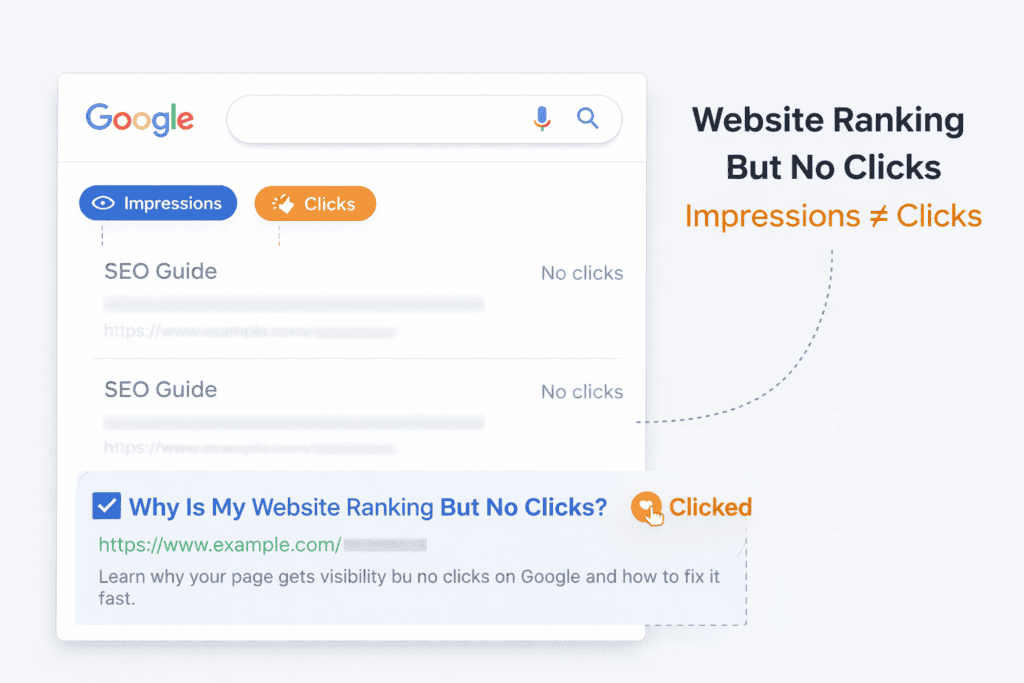
Website ranking but no clicks can be frustrating. Your pages receive impressions, sometimes appearing near the top of Google Search results, yet visitors aren’t clicking.
So, what’s going wrong?
In many cases, the problem isn’t simply your ranking. It may be the way your search result appears to users. Your title might not match what they’re looking for, your description may not explain what the page offers, or competing results may provide a more relevant answer.
The first step is to understand where the problem comes from. Google Search Console can help you identify which queries generate impressions, where your pages appear, and how often users click through.
In this guide, we’ll examine why websites get impressions without clicks, how to identify the cause of low click-through rates, and what you can do to improve your search visibility and attract more organic traffic.
Quick Answer: Why Is My Website Ranking but Getting No Clicks?
If your website appears in Google Search but receives no clicks, your search result may not be attracting users, even when Google considers your page relevant to their queries.
Common reasons include:
- Weak SEO title: Your title doesn’t clearly communicate what the page offers.
- Unconvincing meta description: Your snippet doesn’t give users a clear reason to visit.
- Search intent mismatch: Your page doesn’t match what people expect to find.
- Strong competition: Other results may offer more relevant information or appealing search features.
- Low search position: Your page may receive impressions without being visible enough to attract clicks.
Start by checking your Google Search Console Performance report. Compare impressions, clicks, CTR, average position, and the actual queries triggering your page.
The goal is to identify why users aren’t clicking and make your search result more relevant and useful.
Why Does Your Website Get Impressions but No Clicks?
A page can appear in Google Search results without attracting visitors. This happens because appearing in search results and earning a click are two different things.
To understand the problem, look at what happens when someone searches for a keyword related to your page.
Google displays results based on its assessment of relevance, but users decide which result to visit. Several factors can influence that decision.
Your Search Result Doesn’t Stand Out
If competing pages have clearer titles, more useful descriptions, or a better match for the search query, users may choose them instead.
Your Page Doesn’t Match Search Intent
Someone searching for a practical solution expects clear instructions. If your title promises a solution but your page offers only general information, users may prefer another result.
Your Average Position Limits Visibility
A page appearing near the bottom of the first page or further down may receive impressions but fewer clicks than results appearing higher.
Other Google Search Features Compete for Attention
Featured snippets, AI Overviews, videos, images, and other search features can influence which results users notice and select.
Your Search Snippet Doesn’t Explain the Value
Even when your page is relevant, a vague title or description may fail to communicate what visitors will learn or gain from clicking.
The important point is that low clicks can have several causes. Before changing your content, examine the actual queries, search positions, and competing results in Google Search Console.
Understanding why users skip your result is only the first step. To improve your click-through rate, you need to examine how your page appears alongside competing results and identify what makes users choose one listing over another.
How Your Google Search Result Compares With Competitors
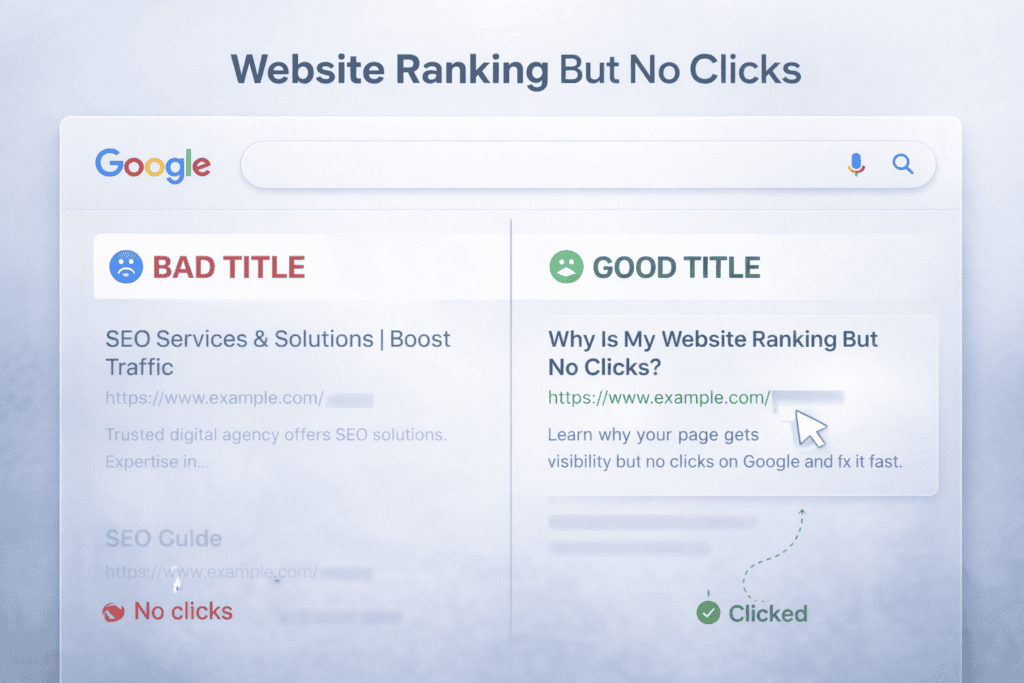
When your website appears in Google Search but users choose another result, comparing the competing listings can help you identify what needs improvement.
Look at the titles, descriptions, content relevance, and search features displayed for the same query.
Example: Weak vs. Improved Search Results
| Element | Weak Search Result | Improved Search Result |
|---|---|---|
| SEO title | SEO Tips for Websites | Website Ranking but No Clicks? Find Out Why |
| Description | Learn more about SEO and improve your website | Discover why your website gets impressions but no clicks and how to improve organic CTR |
| Search intent | General SEO information | Directly addresses the user’s problem |
| Content promise | Unclear benefit | Explains the problem and offers practical solutions |
These are illustrative examples, not measured CTR results.
What Should You Compare?
1. Title relevance
Does the competing title clearly address the search query? Compare it with your own title and make sure yours accurately represents the page.
2. Description quality
Check whether competing descriptions explain what readers will find. A useful meta description should summarize the page and give users a clear understanding of its value.
If you need help developing better descriptions, see our AI SEO Meta Description Generator.
3. Search intent
Open competing pages and examine what they actually provide. Are they answering the question directly, offering practical instructions, or providing information that your page is missing?
4. Search result features
Check whether Google displays featured snippets, AI Overviews, videos, images, or other features for your target query. These can affect how users interact with ordinary organic listings.
What Can You Learn From This Comparison?
The objective isn’t to copy competing titles or descriptions.
Instead, identify where your search result could be clearer, more relevant, and more useful to someone searching for the same information.
A better title or description may improve your chances of earning a click, but Google can generate its own title links and snippets based on the search query and page content.
How Users Choose Which Google Search Results to Click
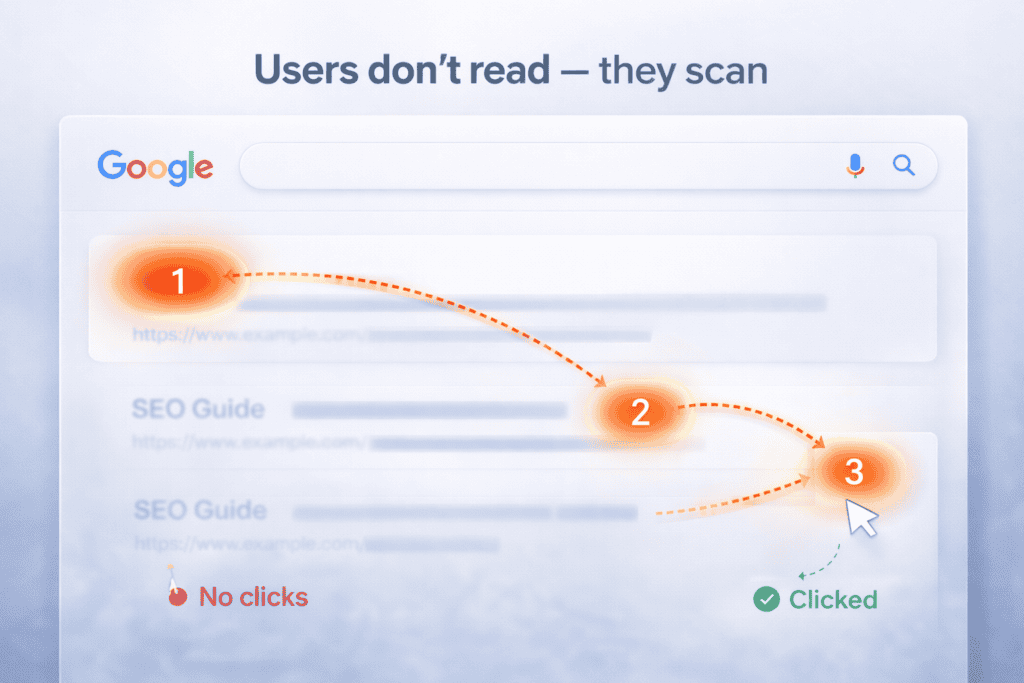
When someone searches on Google, several results may answer the same question. The decision to click depends on how well each result matches what the person is looking for.
Your page can receive impressions without clicks if competing results appear more relevant or communicate their value more clearly.
What Users Consider Before Clicking
| Search result element | What users look for |
|---|---|
| SEO title | Does it address the question or problem? |
| Description | Does it explain what the page offers? |
| Search relevance | Does the result match the original search? |
| Page position | Is the result easy to find among competitors? |
| Search features | Are other results or Google features providing an immediate answer? |
How to Diagnose Low CTR Using Google Search Console
Rather than relying on universal CTR benchmarks, examine your own search performance.
Open the Performance report in Google Search Console and review these metrics:
1. Impressions
Check how often your page appears for relevant searches. High impressions can indicate that Google is displaying your content for a range of queries.
2. Clicks
Compare clicks with impressions to understand whether your search visibility is generating visits.
3. Click-through rate (CTR)
CTR is calculated by dividing clicks by impressions and multiplying by 100.
For example, 10 clicks from 1,000 impressions produce a 1% CTR.
4. Average position
Review the average position alongside individual queries. A page’s overall average position can hide significant differences between the search terms it ranks for.
What Should You Do With These Results?
- If impressions are high but CTR is low, examine your titles and descriptions.
- If a page appears for irrelevant queries, improve its content alignment with the intended search.
- If competing pages provide more useful information, identify what your content is missing.
- If average position is low, work on content relevance and overall SEO quality rather than focusing only on the snippet.
The objective is to identify the actual reason behind low clicks instead of assuming every page has the same problem.
How to Fix a Website That Ranks but Gets No Clicks
If your website receives impressions but very few clicks, don’t start changing everything at once. First, identify which search queries are underperforming and why users might prefer competing results.
Here is a practical process you can follow using Google Search Console and your existing content.
Step 1: Find the Pages and Queries Losing Clicks
Open Google Search Console and navigate to Performance → Search Results.
Select the following metrics:
- Total clicks
- Total impressions
- Average CTR
- Average position
Open the Queries tab and identify search terms that generate impressions but receive few or no clicks.
Then open the Pages tab to identify which URLs are responsible.
Don’t judge a page using its overall average position alone. Examine individual queries because the same page can perform differently for different searches.
Step 2: Review Your SEO Title and Search Snippet
Once you identify an underperforming query, search for it in Google and compare the results.
Check whether your title:
- Clearly describes the page.
- Reflects the searcher’s actual question.
- Explains what makes your content useful.
- Accurately represents what readers will find.
Also review your meta description. It should summarize the page and communicate its value without repeating the title unnecessarily.
You can use our Meta Tags Analyzer to inspect your page’s title and meta tags.
Remember that Google may generate a different title or snippet depending on the search query.
Step 3: Improve Search Intent and Content Relevance
A page can receive impressions for queries that don’t perfectly match its content.
For example, someone searching for a practical solution to low organic CTR expects more than a general explanation of SEO.
Review the queries generating impressions and ask:
- Does the page answer the actual question?
- Is the most useful information easy to find?
- Are important explanations missing?
- Does the content provide something useful beyond what competing pages already offer?
Make improvements where they genuinely help readers. Avoid adding paragraphs simply to include more keywords.
If your page has visibility but struggles to move higher in Google, our guide on why a page gets stuck on page 2 of Google covers a related ranking problem.
Step 4: Strengthen Relevant Internal Links
Review the internal links pointing to your page and the links within its content.
Add links from relevant articles using descriptive anchor text. This helps readers discover related information and helps Google understand the relationship between your pages.
For a deeper explanation, see our guide on how many internal links per page.
Avoid adding unrelated links or repeating the same destination unnecessarily.
Step 5: Monitor the Results
After making meaningful changes, record your current performance so you have a baseline for comparison.
Monitor:
- Impressions for your target queries.
- Organic clicks.
- Average CTR.
- Average position.
- Changes in the queries bringing visitors to your page.
Use comparable date ranges when evaluating performance. Allow enough time for Google to recrawl the page and for new search performance data to accumulate.
Be careful when making substantial content changes. Updating an existing page can sometimes affect its search performance if the changes weaken its original search intent or topical focus. Read our guide on why updating content can drop your rankings before making major revisions.
There is no guaranteed CTR improvement or ranking increase from changing a title, description or page content. The objective is to make the result more relevant and useful to the people searching for it.
The Optimization Priority
When diagnosing a page with impressions but no clicks, follow this order:
- Identify underperforming queries in Google Search Console.
- Review competing search results.
- Improve the title and search snippet.
- Address gaps in search intent and content.
- Strengthen relevant internal links.
- Monitor clicks, impressions and rankings.
This gives you a repeatable way to diagnose the problem instead of making random SEO changes.
Real Example: 65,000 Impressions but Only 23 Clicks
A website can appear thousands of times in Google Search and still generate very little organic traffic.
Consider this Google Search Console performance example:
| Metric | Result |
|---|---|
| Impressions | 65,000 |
| Clicks | 23 |
| CTR | 0.035% |
| Average position | 16 |
Despite receiving 65,000 impressions, the website generated only 23 clicks during the reporting period.
What Do These Numbers Tell Us?
The page has search visibility, but that visibility is generating very few visits.
An average position of 16 also means the page generally appears around the second page of Google results, although individual queries can perform differently.
There are three areas worth investigating:
1. Search position
At an average position of 16, improving the page’s relevance and ranking for valuable queries may create more opportunities to attract clicks.
2. Search snippet
Review the SEO title and meta description. Do they clearly explain what visitors will find and why the page is relevant to their search?
3. Search intent
Examine the queries generating impressions. Make sure the content answers those searches rather than targeting unrelated keywords.
A similar situation occurs when impressions increase while average rankings decline. This can happen when a page starts appearing for a wider range of search queries. Read our guide on why impressions increase but rankings drop to understand how to interpret these changes in Google Search Console.
What Should You Do Next?
Open the Google Search Console Performance Report and examine the individual queries and pages.
Identify which searches generate the most impressions, where the page appears, and which opportunities deserve optimization.
The objective is not simply to increase impressions. It is to turn relevant search visibility into more qualified organic clicks.
7 Common SEO Mistakes That Can Limit Organic Clicks
Getting impressions without clicks doesn’t always mean your SEO strategy is failing. However, certain mistakes can make it harder to understand why your pages aren’t attracting visitors.
Here are seven mistakes to avoid when analyzing your search performance.
1. Judging Performance Using Sitewide CTR
Your website’s overall CTR doesn’t tell you how every individual page performs. A page targeting competitive keywords may have a very different CTR from one ranking for specific long-tail searches.
Instead, examine individual URLs and queries in Google Search Console to identify where clicks are being lost.
2. Ignoring Mobile Search Performance
Your search results may perform differently on mobile and desktop devices. Titles can appear differently depending on screen size, and users may encounter different search features.
Compare your mobile and desktop performance to identify whether one device category needs attention.
3. Targeting High-Impression Keywords Without Checking Relevance
A keyword generating thousands of impressions isn’t necessarily a valuable opportunity.
If the search query doesn’t closely match your page’s content or target audience, attracting more clicks may not bring relevant visitors.
Prioritize queries that match your content and business objectives.
4. Changing SEO Titles Too Frequently
Repeatedly changing your SEO title without a clear reason makes it difficult to evaluate what actually improves performance.
Before changing a title, review the queries generating impressions and compare your existing search result with competing pages.
Make meaningful changes and monitor the results rather than constantly rewriting the title.
5. Ignoring Differences Between Countries
A page may perform differently depending on the country where users search.
Language, search intent, competition, and local expectations can influence which results users choose.
Use the Countries report in Google Search Console to identify where your impressions and clicks originate.
6. Making Several SEO Changes at Once
Changing your title, meta description, content, internal links, and page structure simultaneously makes it difficult to understand which changes influenced performance.
Whenever possible, make targeted improvements and record your starting metrics before evaluating the results.
7. Evaluating Results Too Soon
SEO changes don’t produce immediate or guaranteed improvements.
Google needs to recrawl and process updated content, and search performance can fluctuate over time.
Compare equivalent reporting periods and examine trends in clicks, impressions, CTR, and average position before deciding whether an optimization worked.
The key lesson: Don’t optimize based on assumptions or isolated numbers. Use your actual search performance data to identify problems, make targeted improvements, and measure the results.
SEO Tools to Help Improve Your Search Performance
If your website receives impressions but few clicks, the right tools can help you investigate your rankings and improve how your pages appear in search results.
1. Google Search Console
Start with the Google Search Console Performance Report to identify pages and queries with high impressions but low CTR.
Review clicks, impressions, average position, and performance across different devices and countries.
2. Keyword Position Checker
Use our Keyword Position Checker to monitor where your target keywords appear in search results and track ranking changes over time.
3. AI SEO Meta Title Generator
Use our AI SEO Meta Title Generator to generate alternative title ideas for your pages.
Compare different approaches and choose titles that accurately match your content and target search intent.
Choose the Right Optimization
- Low CTR: Review your search snippet and competing results.
- Weak rankings: Investigate keyword relevance and content quality.
- Poor title presentation: Review and improve your SEO title.
- Device-specific differences: Compare mobile and desktop performance.
Use these tools as part of a broader SEO process. They help with analysis and optimization, but no tool can guarantee higher rankings or more clicks.
Frequently Asked Questions About Website Ranking but No Clicks
1. Why is my website ranking but getting no clicks?
Your website may appear in Google Search without attracting visitors because your title or description isn’t compelling, your page doesn’t match the search intent, or competing results are more relevant. Check your search queries, average position, and CTR in Google Search Console to identify the cause.
2. Does low CTR affect Google rankings?
Low CTR alone does not prove that Google is lowering your rankings. It can indicate that your search result isn’t attracting clicks, but rankings depend on many factors. Focus on improving relevance, content quality, and your search appearance rather than chasing a particular CTR percentage.
3. How do I fix high impressions but low clicks?
Start by identifying the queries generating the most impressions. Review your SEO title, meta description, average position, and competing search results. Then improve your snippet and content where necessary. Monitor performance after Google processes your changes.
4. What is a good CTR in Google Search?
There is no universal CTR benchmark that applies to every website. CTR varies depending on search position, query intent, device, competition, and the search features displayed. Compare your results across similar queries and reporting periods to understand your performance.
5. Should I change my SEO title if my website gets no clicks?
Not automatically. First, check whether the page is appearing for relevant queries and whether its current title accurately describes the content. If the title is unclear or doesn’t match search intent, testing a more descriptive version may help attract clicks. Monitor the results before making further changes.
Final Thoughts: Turning Google Impressions Into Organic Clicks
Getting your website to appear in Google Search is an important step, but visibility alone doesn’t guarantee organic traffic.
If your pages receive impressions without clicks, start by understanding which queries trigger your results and how your pages compare with competing listings.
Review your SEO titles, meta descriptions, search intent, and content relevance. Use Google Search Console to identify where improvements are needed, then monitor performance after making meaningful changes.
Remember that better snippets can help attract attention, but rankings and clicks depend on several factors. No single SEO adjustment guarantees more traffic.
The goal is simple: make your pages relevant to the searches they appear for, provide useful information, and give people a clear reason to visit.
Better search visibility matters. Turning that visibility into relevant organic traffic is what makes it valuable.