

Why page not indexed by Google is one of the most common technical SEO problems website owners encounter. You publish a page expecting it to appear in search results, yet nothing shows up. This situation can be confusing, especially when the page looks perfectly fine on your end. In reality, when a page is not indexed by Google, there is always a specific reason behind it. Understanding those reasons is the key to solving the problem quickly and correctly.
Many site owners search why page not indexed by Google when their content fails to appear in search results.
This guide explains why page not indexed by Google happens and how to fix it correctly.
Direct Answer — Why Page Not Indexed by Google
If your page is not indexed by Google, it usually means Google either could not crawl it, did not consider it useful enough, or detected a signal instructing it not to index the page. Indexing is not automatic after publishing. Google evaluates pages before deciding whether they deserve to be stored in its search index.
What It Means When a Page Is Not Indexed by Google
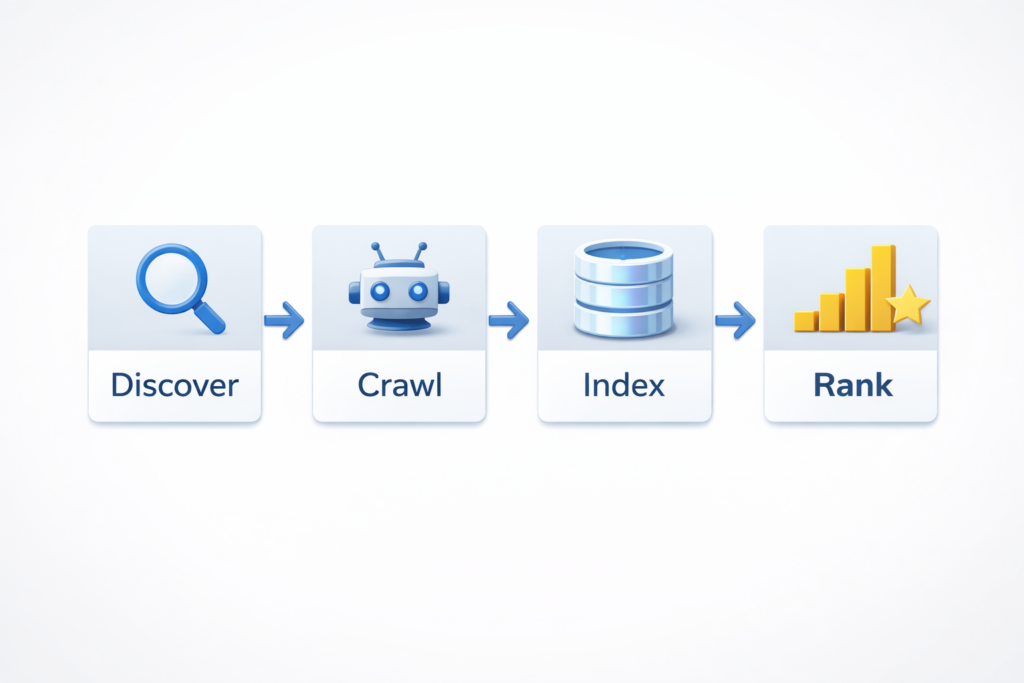
Publishing content does not guarantee visibility. For a page to appear in search results, Google must:
discover the URL
crawl the page
interpret its content
decide to index it
If a page fails at any of these stages, it will remain not indexed by Google. Many site owners assume indexing happens instantly, but search engines work on prioritization systems. Some pages are processed immediately, while others are delayed.
Understanding crawl priority is essential when troubleshooting indexing delays. This is explained clearly in What Is Crawl Budget in SEO, where you’ll learn how search engines decide which pages to crawl first.
A page can be:
- discovered but not crawled
- crawled but not indexed by Google
- indexed but not ranking
Each state indicates a different issue that requires a different solution.
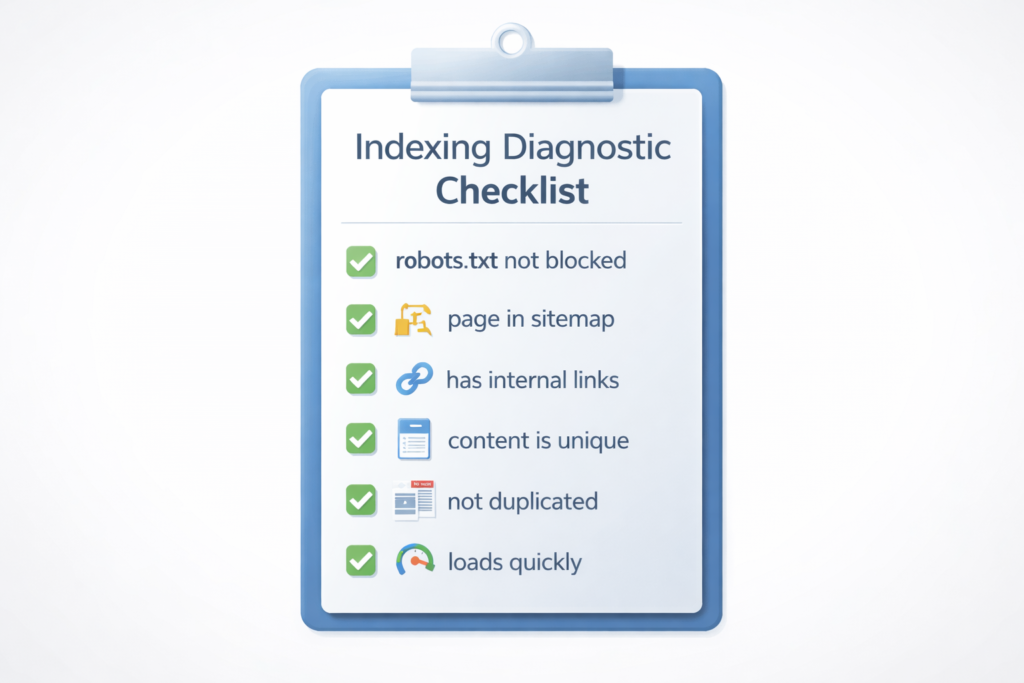
Quick Checklist to Diagnose Why Page Not Indexed by Google
Before running complex tests, check these common causes:
- page contains noindex tag
- robots.txt does not block access
- page loads correctly
- page is listed in sitemap
- page has internal links
- content is unique
- page is not duplicated
If any item fails, it can explain why a page is not indexed by Google.
If your issue is related to sitemap signals or submission errors, the detailed walkthrough in Indexed Not Submitted in Sitemap 2026 shows why pages can be discovered but still skipped.
7 Real Reasons a Page Is Not Indexed by Google
1. Hidden Noindex Directive
A noindex tag can silently prevent indexing. Many pages remain not indexed by Google simply because this tag was never removed after development.
2. Weak Content Quality
Pages with thin or generic content are often crawled but not indexed by Google because they do not provide enough value to search users.
3. Poor Internal Linking
If no other page links to your content, Google may not prioritize it. Internal links help crawlers discover and evaluate pages faster.
4. Crawl Prioritization
Search engines allocate crawl resources strategically. Some pages are crawled later depending on importance signals.
5. Duplicate Content
If similar pages exist, Google may index only one version and ignore the others.
6. Technical Rendering Issues
Blocked scripts or CSS files can prevent proper interpretation, which may stop a page from being indexed by Google.
7. New Page Delay
Sometimes a page is not indexed by Google simply because it was published recently and has not yet been processed.
How to Fix Pages Not Indexed by Google
Fixing a page not indexed by Google requires identifying the exact cause. Common solutions include:
- removing blocking tags
- improving content depth
- adding contextual links
- resolving duplication
- fixing technical errors
- improving structure
- waiting for processing
Before requesting indexing, verify whether your page already exists in Google’s database using the Google Index Checker to confirm its current status instantly.
If a page is still not indexed by Google after applying fixes, it usually means one signal is still weak or missing.
How to Request Indexing by Google Properly
Submitting your page manually can help Google notice it faster.
Steps:
- open Search Console
- enter URL
- inspect page
- request indexing
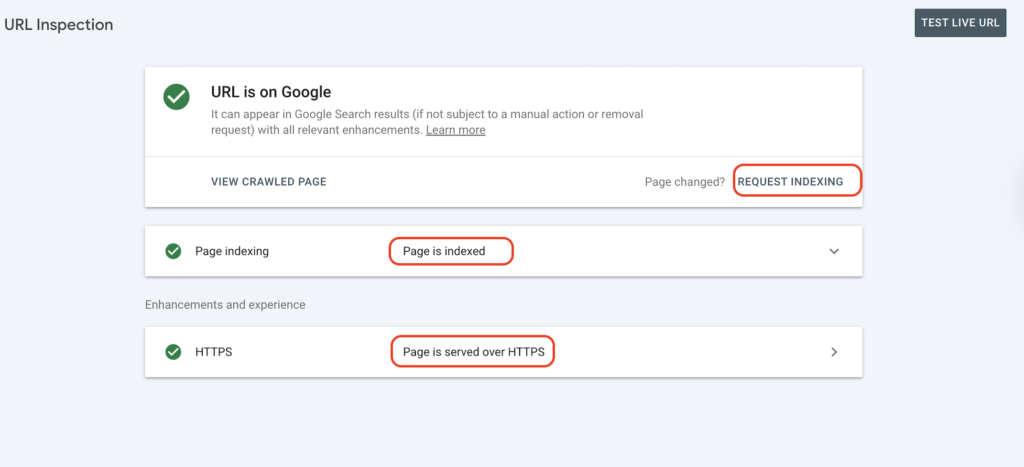
Submitting multiple times does not force indexing. Google still evaluates quality before deciding whether the page should be indexed.
According to Google Search Central indexing documentation, pages are indexed only after Google determines they are accessible, useful, and not duplicates.
How Long It Takes for a Page To Be Indexed by Google
- Site TypeAverage Time
- New website3–14 days
- Active website1–5 days
- High authority sitehours–48h
If your page exceeds these ranges, there is usually a real issue causing it to remain not indexed by Google.
Mistakes That Delay Indexing
Many indexing delays happen because of simple mistakes:
- publishing without links
- copying content
- changing URLs frequently
- blocking crawlers
- removing sitemap entries
Constant edits immediately after publishing can also delay indexing because crawlers detect instability.
If your page is missing from search because it was never discovered, generate a clean sitemap using the XML Sitemap Generator, so search engines can locate your URLs faster.
Pro Tips to Get Indexed Faster by Google
If you want to solve why a page is not indexed by Google quickly, focus on trusted signals:
- link new pages from indexed pages
- keep page depth shallow
- improve loading speed
- update content periodically
- maintain clear site structure
To ensure crawlers are not blocked unintentionally, review your directives with the Robots.txt Generator, which helps you create safe rules that allow proper indexing.
Pages linked from navigation menus or category pages are usually indexed by Google faster than pages buried deep inside articles.
Status Comparison Table
- StatusMeaningAction
- DiscoveredURL knownadd links
- Crawledseen but skippedimprove value
- Blockedrestrictedremove block
- Duplicatealternate chosencanonicalize
Understanding which state applies helps identify why a page is not indexed by Google instead of guessing.
Advanced Reasons a Page Is Not Indexed by Google
Sometimes a page is not indexed by Google even after obvious fixes. In these cases, deeper signals are involved. Search engines evaluate topical relevance, authority signals, and content usefulness before deciding whether a page deserves indexing.
If a page is isolated from your main topic cluster or lacks contextual support, it may remain not indexed by Google longer than expected. Pages connected to strong topical structures are more likely to be indexed quickly because they help search engines understand relevance.
Structured data can improve how search engines interpret your page. The guide Structured Data Schema Markup. Explains how markup strengthens relevance signals that may support indexing decisions.
Authority also plays a role. New domains with limited trust signals may experience slower indexing. This does not mean the page is bad. It simply means Google has less confidence in the site.
Technical Signals That Influence Indexing
Several technical factors affect whether a page becomes indexed by Google:
- server stability
- clean HTML structure
- consistent canonical tags
- mobile usability
- fast response time
Even small technical inconsistencies can delay indexing decisions.
Google also explains in its official Search crawling and indexing overview that discovery, crawling, and indexing are separate processes, meaning publishing alone does not guarantee visibility.
Real Scenario Example
A site owner once believed Google was ignoring his article. The real reason the page was not indexed by Google was simple — it had no internal links. After adding two relevant links from existing pages, the page was indexed within three days. Situations like this are common and show that indexing problems are usually structural, not algorithmic penalties.
Diagnostic Order Professionals Use
When experts analyze why a page is not indexed by Google, they follow this order:
- crawl accessibility
- content quality
- internal links
- duplication
- technical signals
Following this order prevents wasted effort and identifies the real issue faster.
Final Answer: Why Page Not Indexed by Google
If your page is not indexed by Google, there is always a clear cause. Indexing is a decision made by Google, not a guarantee. Once the underlying issue is identified and corrected, indexing typically follows. Most sites are not ignored — they simply have hidden signals preventing their pages from being indexed.
At this point, you should clearly understand why page not indexed by Google happens and how to fix it.
FAQs
Why page not indexed by Google after submission?
Submission only requests review. Google still decides whether to index it.
Can a page stay not indexed by Google permanently?
Yes, if issues like duplication or blocking signals remain unresolved.
How many times should I request indexing?
Once is enough.
Does internal linking help indexing?
Yes. Internal links help discovery and prioritization.
Fastest way to fix page not indexed by Google?
Identify the exact cause first, then fix that specific issue.