

Crawled – Currently Not Indexed means Google successfully accessed your page, processed it, and then decided not to include it in the search index. It is not a crawl error. It is a decision. Most of the time, that decision comes down to differentiation, internal linking strength, or perceived value — not a technical failure.
The first time I saw this status inside Google Search Console, I honestly thought something was broken. It feels like rejection. But technically, nothing failed.
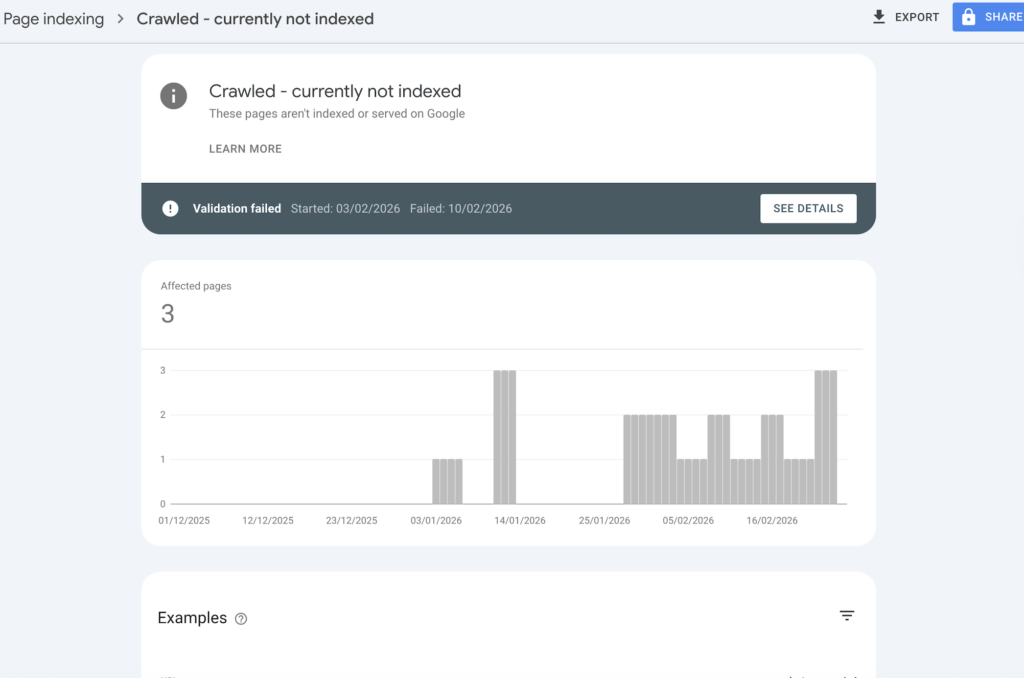
Googlebot visited your URL.
The page loaded.
The content was read.
Then Google paused.
That pause is the real issue.

What’s Actually Happening Behind the Scenes
Crawling and indexing are two completely different steps.
Crawling means Google retrieved your page.
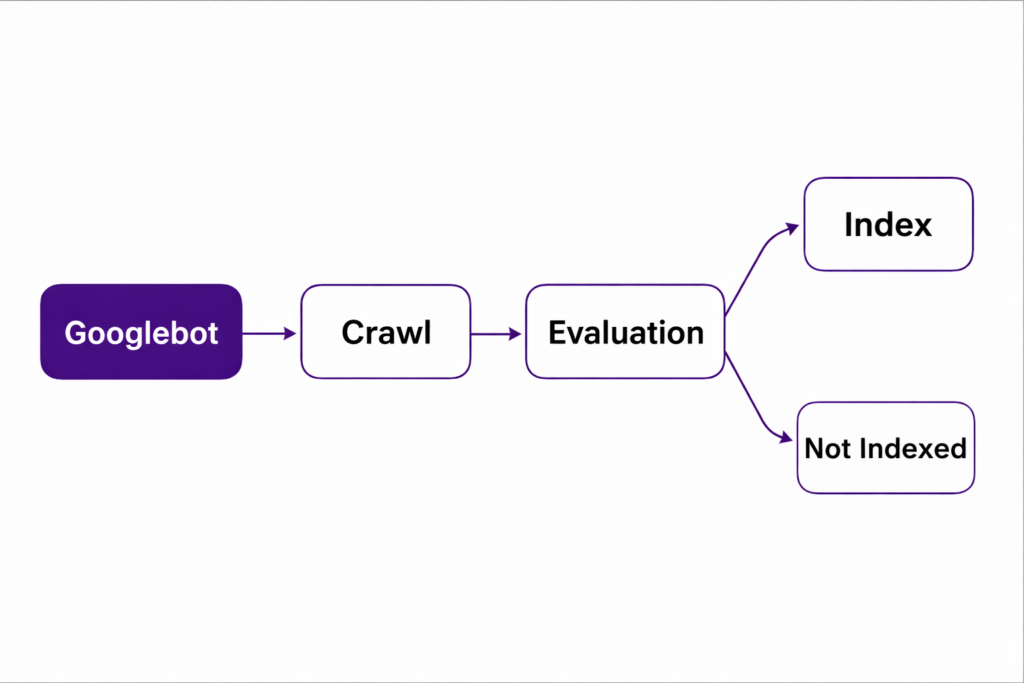
Indexing means Google decided your page deserves space in its searchable database.
Between those two actions, there’s evaluation. That evaluation layer is where pages either move forward or get set aside.
At this stage, Google silently evaluates:
- Is this page meaningfully different?
- Does it add new value?
- Is it important within the site structure?
- Does the domain show enough authority?
- Is it stronger than similar results?
If the signals are not strong enough, the page remains crawled but not indexed.
If you want the broader overview of indexing problems, your article on why page not indexed by Google explains the general landscape. But this specific status means Google already evaluated the content and wasn’t convinced.
The Most Common Reasons This Happens
From what I’ve seen — especially on newer sites — the cause is rarely technical.
It’s structural.
1. The Page Isn’t Distinct Enough
Sometimes we think we created something unique, but from Google’s perspective it looks like a variation of what already exists.
This often happens when:
- Targeting close keyword variations
- Repeating similar article structures
- Writing safe, generic SEO advice
Even subtle overlap weakens differentiation.
Before changing anything, I usually check my own site for competing intent. If two pages solve the same problem, Google may hesitate to index both.
2. Internal Linking Is Weak
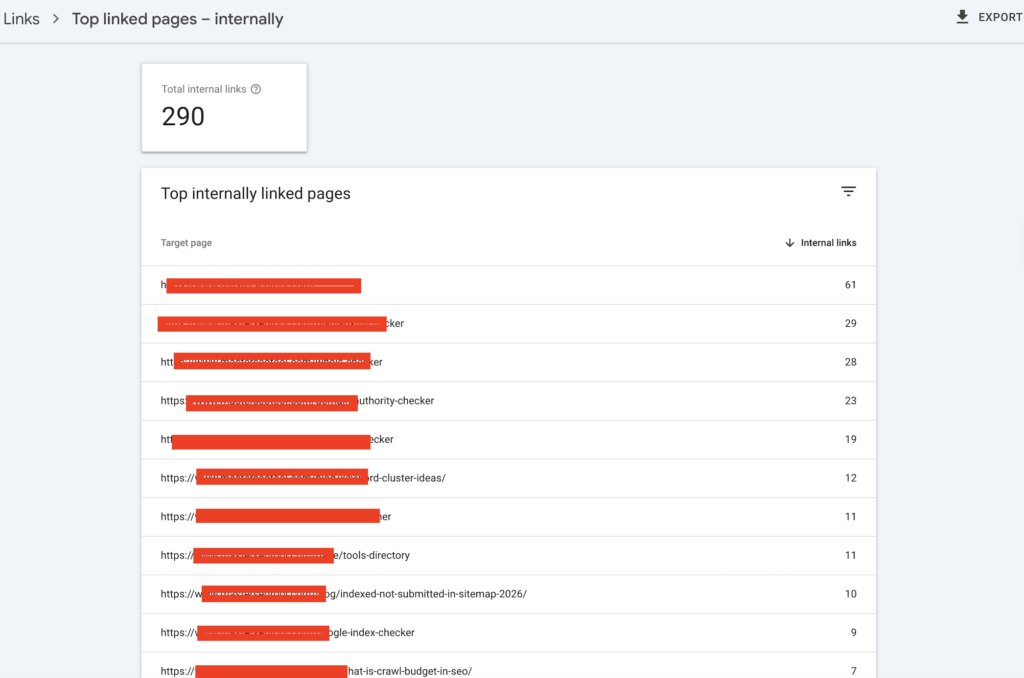
Google uses internal links to determine importance.
If a page:
- Has only one or two links pointing to it
- Sits deep in your structure
- Isn’t connected to strong topical pages
Google may crawl it but not prioritize it.
Strengthening contextual links from related posts, like indexed not submitted in sitemap, or my article on what is crawl budget in SEO can dramatically improve how the page is interpreted.
Internal structure is not decoration. It’s signaling.
3. It Feels Thin (Even If It’s Long)
Thin doesn’t mean short. It means replaceable.
A 1,200-word article repeating common advice may feel weaker than a 900-word page that clearly explains causes and decisions.
I always ask myself:
If I compare this page with page one results, does mine clearly add something better?
If the answer isn’t strong, that’s usually the issue.
4. Crawl Priority on Younger Domains
New domains don’t receive unlimited indexing trust.
Google prioritizes higher-value pages first. Others wait.
Make sure your sitemap from the XML sitemap generator is accurate and current. Confirm crawl permissions are clear using robots.txt generator guide.
Clean signals won’t force indexing — but unclear signals can delay it.
5. Subtle Technical Friction
Even without visible errors, small inconsistencies reduce confidence:
- Duplicate titles
- Weak canonical signals
- Slow loading speed
- Soft 404-style content
After improving the page, I monitor changes using the Google index checker tool.
For deeper reference, Google explains its crawl and indexing logic in Google Search Central – Crawling & Indexing Overview. One thing becomes clear there: Google does not index everything it crawls.
What Actually Works (Not A Theory)
From experience, most people request indexing again without improving anything meaningful. That rarely works.
If Google already crawled the page and chose not to index it, the issue is qualitative or structural. So the solution must be qualitative or structural.
Here’s what I focus on when I see this status:
• I improve differentiation. Not by adding fluff, but by adding clarity. That might mean a decision tree, a structured diagnostic section, real examples, or sharper explanations that competitors lack.
• I strengthen internal linking intentionally. I connect the page from relevant cluster content where it makes logical sense. When a page is linked from stronger pieces like indexed not submitted in sitemap or what is crawl budget in SEO, its perceived importance changes.
• I verify structural signals. Canonical consistency, no accidental noindex, no redirect chains, no thin doorway-like sections.
• Then — and only then — I request indexing again.
The key principle: meaningful improvement before re-submission.
The Validation Phase
After updating the page, patience becomes part of the strategy.
I usually wait 7 to 14 days before evaluating results. Constant re-submission doesn’t accelerate Google’s evaluation process.
Instead, I monitor:
- Coverage status changes
- Last crawl date in URL inspection
- Early impressions in the Performance report
- Internal link visibility
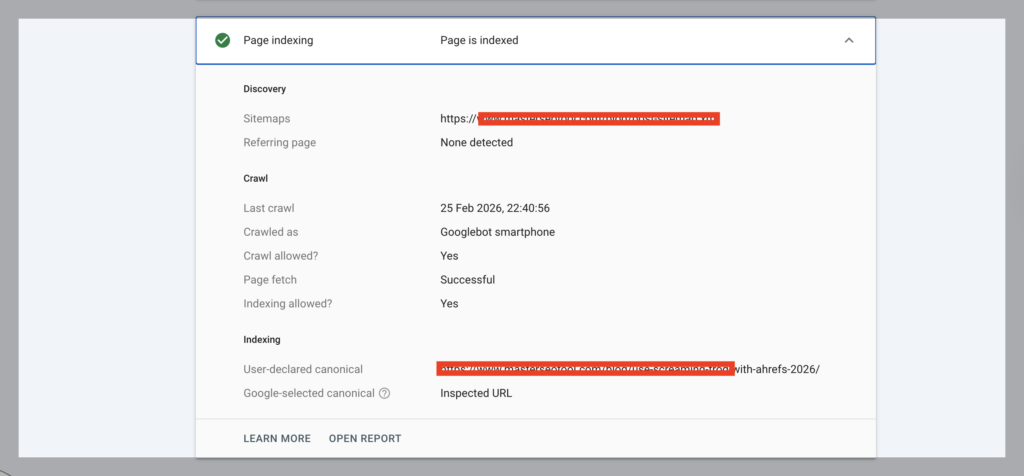
If the page flips to indexed, that’s progress. If impressions begin appearing — even small ones — it means the evaluation barrier is gone and ranking becomes the next challenge.
If nothing changes, I reassess differentiation and structure again.
Validation is not emotional. It’s observational.
You improve → you wait → you measure → you adjust.
The Real Perspective
The first time I dealt with this status, I thought it was random. Over time, patterns became obvious.
“Crawled – Currently Not Indexed” is not a penalty.
It’s a filter.
Google is essentially saying: “I saw this. Show me why it deserves space.”
Especially for growing domains, indexing is selective. Pages that:
- Clearly add new insight
- Connect strongly inside a topical cluster
- Send clean structural signals
- Demonstrate real user value
tend to pass over time.
Indexing is not forced through submission. It’s earned through clarity and positioning.
Once you shift your thinking from “Why won’t Google index me?” to “Have I earned this index spot?”, your strategy becomes sharper — and your results improve.
FAQs
How long does Crawled – Currently Not Indexed last?
It can last a few days or several weeks depending on your domain authority and page differentiation. On newer sites, Google may delay indexing until stronger internal and structural signals are detected.
Should I delete a page that says Crawled – Currently Not Indexed?
No. First improve differentiation and internal linking. Delete only if the page adds no unique value or overlaps heavily with another URL.
Does Crawled – Currently Not Indexed mean my content is bad?
Not necessarily. It usually means Google sees similar content elsewhere or does not consider the page important enough yet.
Will requesting indexing again fix Crawled – Currently Not Indexed?
Only if meaningful improvements were made. Repeatedly requesting indexing without updates rarely changes Google’s decision.
Is Crawled – Currently Not Indexed related to crawl budget?
Sometimes. On newer or low-authority sites, Google may crawl pages but delay indexing based on crawl priority and perceived importance.
What is the difference between Crawled – Currently Not Indexed and Discovered – Currently Not Indexed?
Crawled means Google accessed and evaluated the page.
Discovered means Google knows about the URL but has not crawled it yet.