

Quick Answer
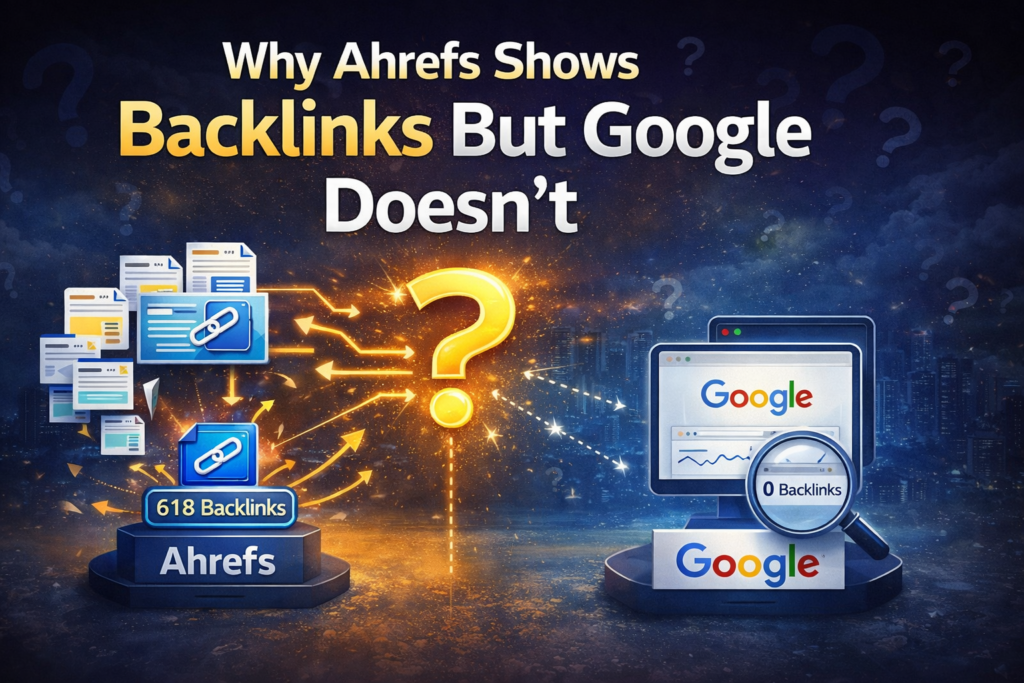
Why Ahrefs shows backlinks but Google doesn’t is one of the most confusing issues in SEO today.
If you’re seeing backlinks in tools but not in Google Search Console, the reason is not a bug—it’s how Google processes links.
Ahrefs records backlinks as soon as its crawler encounters a link on a page, regardless of whether that page has been indexed or evaluated. Google, however, only recognizes backlinks after they pass through a multi-stage process that includes crawling, indexing, contextual evaluation, and internal filtering.
If a linking page is not indexed, or if the link does not meet Google’s quality and relevance thresholds, it will not be reflected in Google Search Console. In many cases, the link may still exist and even be processed internally, but it may not be included in Google’s reporting layer.
The discrepancy, therefore, is not a data error—it is the result of two systems built for different purposes.
This is the core reason why Ahrefs shows backlinks but Google doesn’t in many real SEO cases.
Symptoms / Situation
This is the exact pattern I’ve seen multiple times while working on new pages and building early backlinks:
- The backlink is live and visible on the page
- Ahrefs detects it within a day or two
- Google Search Console shows zero backlinks
- Days pass, sometimes weeks, and nothing changes
At first, it feels like something is broken.
I had the same reaction when I first ran into this while investigating backlinks not showing in Google search. The assumption was simple: if a link exists, Google should show it.
But that assumption doesn’t hold once you understand how Google actually processes links.
Decision Block
| Situation | What It Means | What You Should Do |
|---|---|---|
| Ahrefs shows backlink, Google doesn’t | Link discovered but not processed | Wait + verify |
| Linking page not indexed | Backlink invisible to Google | Fix indexing |
| Page indexed but no link in GSC | Link filtered or not reported | Ignore |
| Link appears after delay | Normal system behavior | No action |
AI Search Summary
The difference between Ahrefs and Google backlink data is best understood as a distinction between discovery and validation.
Ahrefs is optimized for discovery. Its priority is to map the web as broadly as possible and capture link relationships quickly. This results in fast detection and a large dataset, but without strict validation of link quality or search relevance.
Google is optimized for validation. It processes backlinks only after determining whether the linking page is indexed, whether the link is contextually meaningful, and whether it contributes to ranking signals. Even after acceptance, Google may choose not to surface the link in Search Console, as the reporting interface reflects only a subset of its internal link graph.
As a result, Ahrefs provides visibility into what exists, while Google provides insight into what it considers valuable.
Introduction
Why Ahrefs shows backlinks but Google doesn’t
At one point, I was tracking backlinks daily.
Every time I built a new link, I checked Ahrefs first. The link was always there.
Then I opened Google Search Console expecting to see the same data.
Nothing.
To properly understand why Ahrefs shows backlinks but Google doesn’t, you need to look at how crawling and indexing actually work.
The first few times, I thought it was a delay. Then I thought maybe something was wrong with the link itself. Then I assumed Google hadn’t crawled the page.
But after repeating this across multiple pages and links, a pattern became clear:
The issue wasn’t inconsistency. It was misunderstanding.
Ahrefs and Google are not trying to do the same thing. And once that clicked, the entire confusion disappeared.
Why Ahrefs Shows Backlinks but Google Doesn’t in Google Search Console
Ahrefs is designed to collect data. Google is designed to rank pages.
This is where the real explanation of why Ahrefs shows backlinks but Google doesn’t begins.
That difference changes everything.
| Factor | Ahrefs | |
|---|---|---|
| Crawl approach | Broad, aggressive | Selective, priority-based |
| Purpose | Discover links | Evaluate ranking signals |
| Need for indexing | Not required | Required |
| Filtering | Minimal | Strict |
| Output | Large dataset | Curated subset |
Ahrefs crawls as much as possible. It doesn’t need to decide whether a link is useful. It simply records that it exists.
Google operates under constraints. It cannot process everything equally, so it prioritizes. That’s where crawl budget, internal linking, and site authority start influencing what gets seen first.
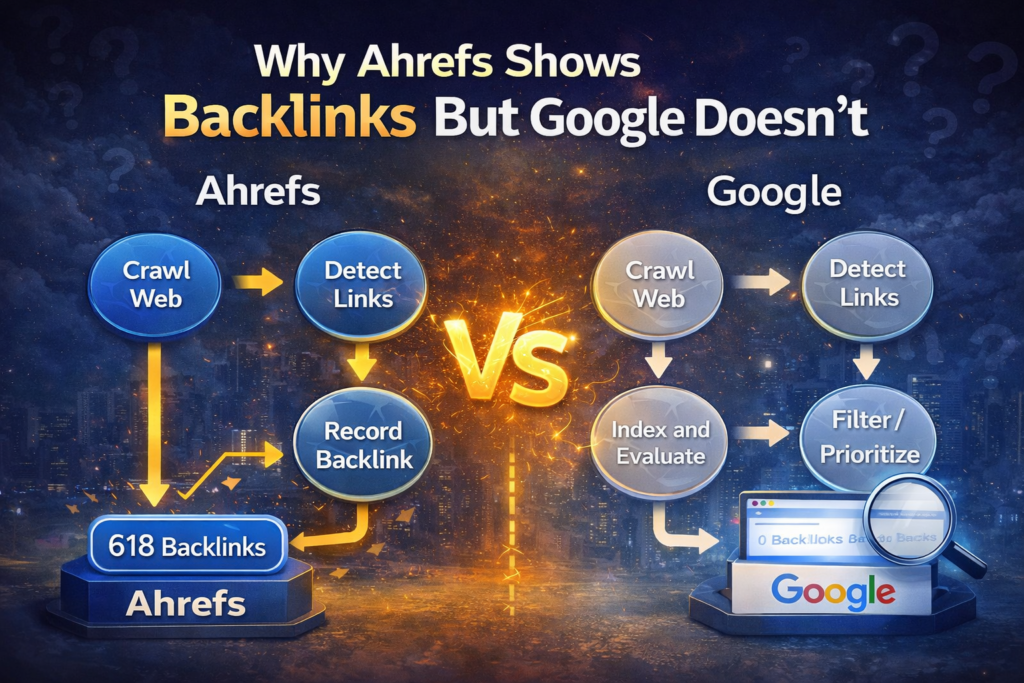
If a linking page is low priority, Google may delay crawling it. That alone can create a gap where Ahrefs shows the link but Google hasn’t even discovered it yet.
Index Filtering Layer
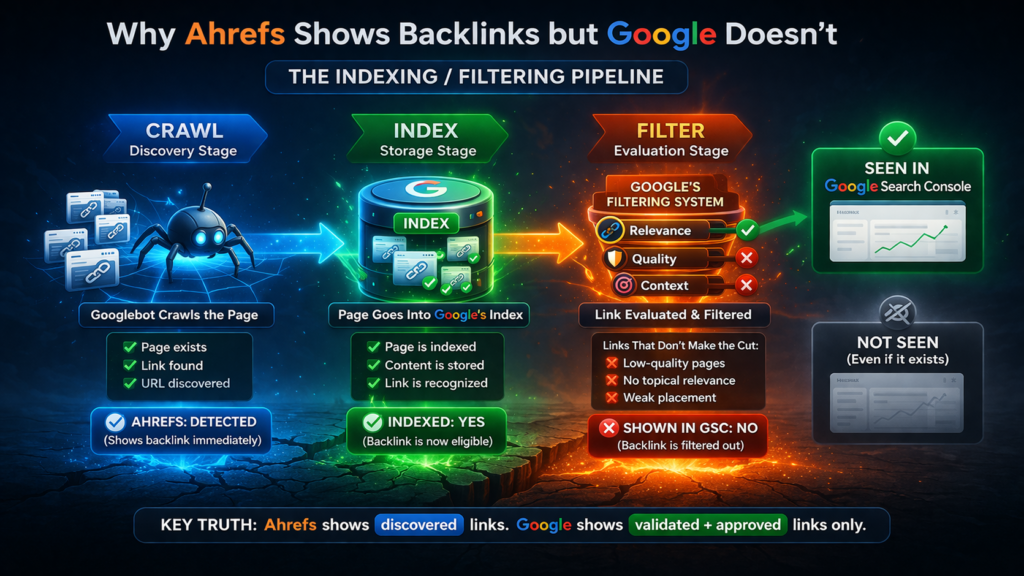
Crawling is not enough. The page must be indexed.
This is the point where most backlinks fail.
A major reason why Ahrefs shows backlinks but Google doesn’t is that Google requires indexing before recognizing any link.
A page can be:
- live
- accessible
- visible in Ahrefs
And still not indexed by Google.
When that happens, the backlink effectively does not exist for Google.
This is the same pattern you see when dealing with crawled currently not indexed fix or discovered currently not indexed situations.
| Page Status | Ahrefs Visibility | Google Visibility |
|---|---|---|
| Not crawled | Sometimes | No |
| Crawled not indexed | Yes | No |
| Indexed | Yes | Possible |
| Indexed + evaluated | Yes | Yes |
The key takeaway here is simple:
Indexing is the gatekeeper.
If the page doesn’t pass that gate, nothing else matters.
Link Evaluation and Filtering
Even after indexing, Google still does not accept every backlink.
This is where the system becomes selective.
Google evaluates links based on:
- topical relevance
- contextual alignment
- page quality
- link placement
- overall link pattern
Let’s break this down practically.
If a backlink is placed inside a weak article that has no traffic, no internal links, and no topical alignment, Google may crawl and index the page—but still ignore the link.
If the anchor text is unrelated to the page it links to, the signal weakens.
If the link appears alongside dozens of unrelated links, it looks less natural.
| Link Type | Ahrefs | |
|---|---|---|
| Fresh link | Detected immediately | Pending |
| Weak context link | Detected | Ignored |
| Strong contextual link | Detected | Accepted |
| Pattern-based link | Detected | Filtered |
Understanding Why Ahrefs Shows Backlinks but Google Doesn’t
This explains why some links behave exactly like those in backlinks indexed but no ranking impact cases.
They exist, but they don’t contribute.
Data Lag Between Systems
Even when everything is correct—indexed page, strong context, relevant link—there is still delay.
Google does not update link data instantly.
| Stage | Timeline |
|---|---|
| Link goes live | Day 1 |
| Ahrefs detects | Day 1–2 |
| Google crawls | Day 3–10 |
| Page indexed | Day 7–20 |
| GSC update | Day 15–30+ |
This delay is consistent.
I confirmed the same pattern while analyzing how long before backlinks affect ranking. The timeline doesn’t change much unless the site is very high authority.
So checking backlinks too early almost always leads to wrong conclusions.
Real Scenario (What Actually Happens in Practice)
I tested this across multiple backlinks.
Some links were placed on decent blogs with internal links and traffic. Others were placed on weaker pages.
Here’s what happened:
- Strong pages → indexed faster → links appeared later in GSC
- Weak pages → delayed indexing → links never appeared
- Medium pages → indexed → links appeared after 2–3 weeks
To verify, I didn’t rely on one tool.
I used a backlink checker to confirm the link exists, then a link analyzer tool to review how the link is placed inside the content.
Then I checked the page using a Google index checker.
In most cases where links were missing, the problem was obvious:
The page wasn’t indexed.
Once it got indexed, the link either appeared later or remained ignored depending on its quality.
Practical Verification Process
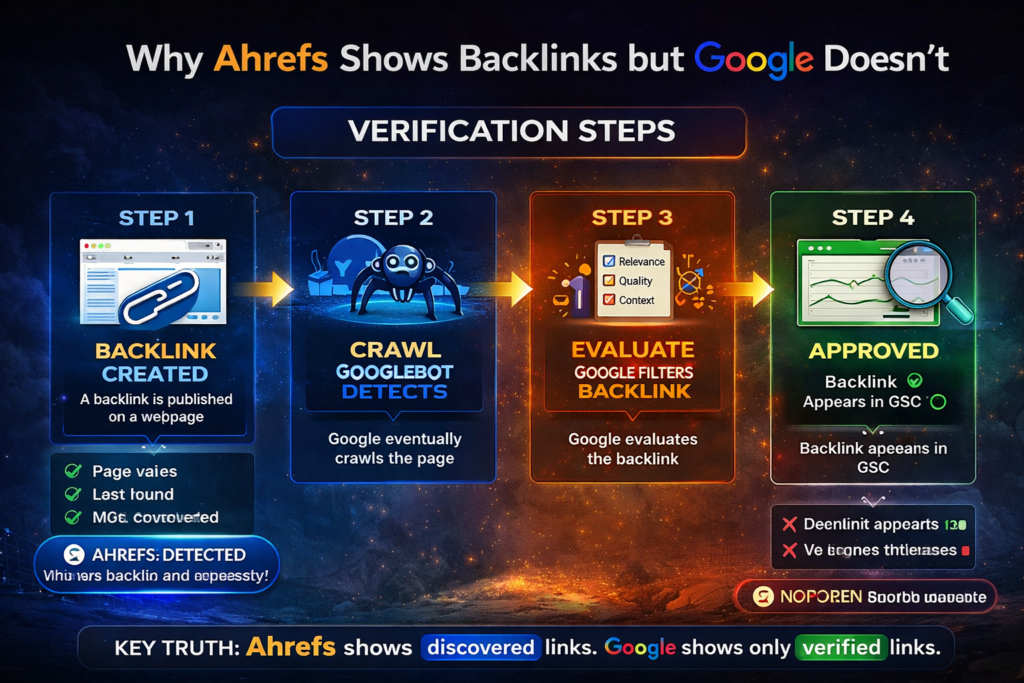
If you’re trying to diagnose why Ahrefs shows backlinks but Google doesn’t, follow this exact process.
If you want to remove confusion completely, follow this process step by step.
Step 1 — Check Indexing First
Before anything else, confirm that the linking page is indexed.
If it’s not indexed, stop there. The backlink does not exist for Google.
Focus on:
- improving internal linking of that page
- ensuring the page is crawlable
- avoiding thin or duplicate content
Step 2 — Confirm the Link Is Accessible
Use a backlink checker and manually inspect the page.
Make sure:
- the link is not blocked by JavaScript
- the link is not inside hidden elements
- the link is not nofollow (if you expect value)
This step eliminates technical issues.
Step 3 — Analyze Context and Placement
Use a link analyzer tool to evaluate the link.
Ask:
- Is the anchor relevant?
- Is the surrounding content related?
- Is the link placed naturally inside a paragraph?
If the link feels forced, Google will likely ignore it.
Step 4 — Evaluate Source Strength
Use a domain authority checker to understand the quality of the linking domain.
A link from a weak domain is not useless, but it is less likely to be prioritized or reported.
Step 5 — Give It Time
This is the step most people skip.
Google’s system is not real-time.
Even perfect backlinks need time to move through:
crawl → index → evaluation → reporting
If everything checks out, waiting is often the correct action.
Technical Insight
Backlinks in Google’s system are not treated as static references. They are interpreted as signals within a broader evaluation framework.
Each backlink is processed in relation to multiple factors, including the topical alignment between pages, the authority of the linking domain, the structure of the linking page, and the consistency of link patterns across the site. This evaluation does not occur in isolation; it is influenced by crawl prioritization and indexing decisions, which are themselves governed by resource allocation mechanisms such as crawl budget.
This layered processing explains why two identical backlinks, placed on different pages, can produce completely different outcomes. A link from a well-structured, internally connected, and topically aligned page is far more likely to be indexed quickly and contribute to rankings. In contrast, a link from a weak or isolated page may be crawled infrequently, indexed slowly, or discounted entirely.
Understanding backlinks as part of a dynamic system—rather than as standalone elements—provides a more accurate model of how Google evaluates link signals.
Why Backlinks Appear in Ahrefs but Not in Google Data
In real SEO data, the gap between tools and Google becomes obvious when you track backlinks over time.
Ahrefs detects links almost immediately after they are published, but Google processes them based on priority, indexing, and evaluation layers.
I’ve seen backlinks appear in Ahrefs within 24 hours, while Google took more than two weeks to reflect the same link—or never showed it at all.
This difference explains why Ahrefs shows backlinks but Google doesn’t in many cases. The issue is not detection, but processing and acceptance.
When you compare multiple backlinks across different pages, a pattern emerges: links from strong, indexed, and relevant pages are eventually recognized, while weak or non-indexed pages remain invisible in Google.
Why Ahrefs Shows Backlinks but Google Doesn’t, According to Google
To better understand how Google handles link discovery and reporting, it is useful to review its official documentation.
Google documentation on crawlable links explains how links must be accessible and structured in a way that allows Googlebot to process them effectively. This includes considerations such as HTML-based linking, proper anchor usage, and avoiding blocked or hidden elements.
Additionally, Google Search Console link report clarifies that the links report is not a complete representation of all backlinks. It is a curated dataset designed to provide useful insights rather than exhaustive coverage. This distinction is critical, as it confirms that missing backlinks in Search Console do not necessarily indicate a problem.
These references reinforce the idea that Google’s system is selective by design, both in how it processes links and in how it reports th
FAQs
Why Ahrefs shows backlinks but Google doesn’t?
The reason why Ahrefs shows backlinks but Google doesn’t is that Ahrefs detects links through crawling, while Google only shows links after crawling, indexing, and evaluating them. If a page is not indexed or the link is filtered, it will not appear in Google Search Console.
Is it a problem if Ahrefs shows backlinks but Google doesn’t?
No. When Ahrefs shows backlinks but Google doesn’t, it usually means the link is not yet processed or not considered valuable enough. This is normal in most cases.
How long before Google shows backlinks that Ahrefs already detected?
The delay behind why Ahrefs shows backlinks but Google doesn’t can range from a few days to several weeks, depending on crawl and indexing speed.
Should all backlinks appear in Google Search Console?
No. Even if Ahrefs shows backlinks but Google doesn’t, Google only reports a limited set of backlinks, not the full profile.
How can I verify why Ahrefs shows backlinks but Google doesn’t?
Check if the linking page is indexed, confirm the link is accessible, and review its relevance. These steps explain most cases where Ahrefs shows backlinks but Google doesn’t.
Final Perspective
The discrepancy between Ahrefs and Google is not a technical flaw—it is a reflection of different objectives.
Ahrefs is designed to surface as much link data as possible, which makes it valuable for discovery and analysis. Google, on the other hand, is designed to evaluate and prioritize signals that contribute to search quality. Its filtering and reporting layers are intentional, not limitations.
A more effective approach is to stop using tool alignment as a benchmark for success. The presence of a backlink in a third-party tool confirms that it exists. The presence of a backlink in Google’s ecosystem indicates that it has passed a higher threshold of relevance and usefulness.
Once you understand why Ahrefs shows backlinks but Google doesn’t, the confusion disappears.
The focus then shifts from tracking links to building links that actually pass Google’s system.