

Quick Answer
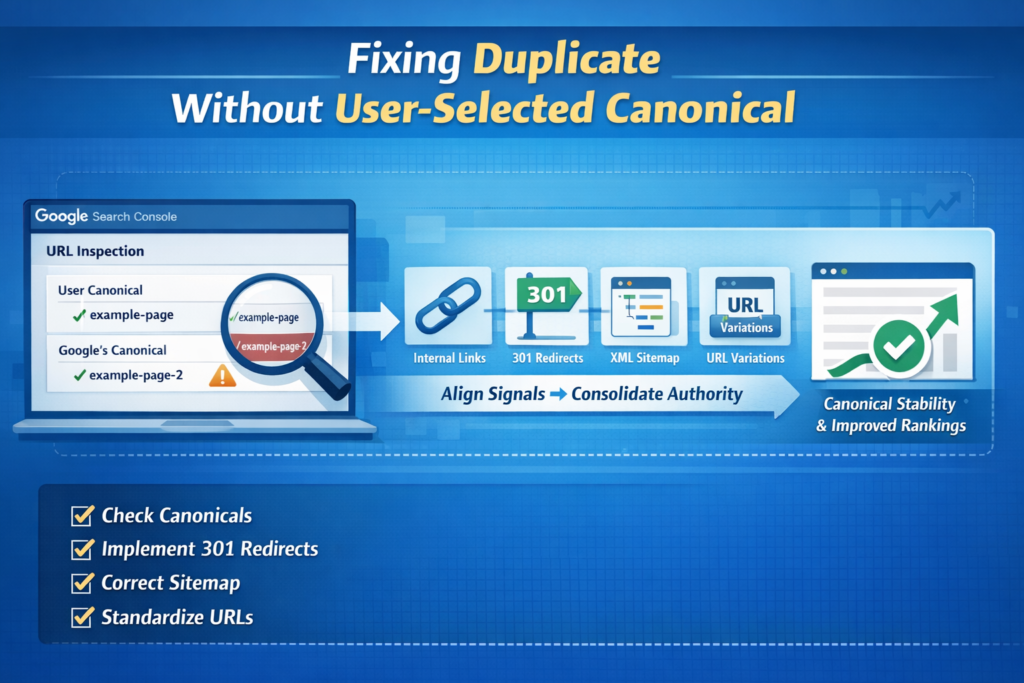
If Google Search Console shows “duplicate without user-selected canonical”, it means Google discovered multiple URLs containing very similar content and decided to select a different canonical page than the one you declared.
This is not a penalty.
It simply means Google’s systems believe another version of the page has stronger structural signals.
This often happens when internal links, redirects, and sitemap signals point to different URL versions.
Most of the time, the issue comes from inconsistent signals across:
- Internal links
- Redirect rules
- Sitemap entries
- URL variations
Here is the process I use to resolve duplicate without user-selected canonical issues:
- Compare Google-selected vs user-declared canonical in URL Inspection
- Consolidate URL signals using 301 redirects and consistent internal links
- Remove parameter, slash, and host variations
- Regenerate sitemap and monitor canonical stabilization
When all signals support the same URL, Google usually stabilizes the canonical within 1–3 weeks.
Why This Happens on Many Growing Websites
When I audit websites and see duplicate without user-selected canonical, the first thing I investigate is not the content itself. I look at the structural signals surrounding the page. In most situations the page content is perfectly fine, but the surrounding signals tell Google conflicting stories about which URL should represent that content.
Google does not rely on canonical tags alone. Instead, it evaluates multiple signals before making a final decision about which page should represent duplicate content in the index. Google explains this clearly in their documentation about how Google consolidates duplicate URLs, where redirects, canonical tags, internal links, and sitemaps are all evaluated together.
What I often notice is that canonical conflicts rarely appear alone. They usually appear alongside crawl or indexing hesitation because when signals disagree, Google becomes less confident about which page deserves priority.
Myth vs Reality
Before fixing anything, I always remove the most common misconceptions I see during audits.
Myth 1 — Google is ignoring my canonical tag
Google does not ignore canonical tags. It evaluates them against other structural signals like redirects, internal links, and sitemap entries.
Myth 2 — This is a penalty
This issue is not a ranking penalty. It simply means Google selected another version of the page to represent the content.
Myth 3 — Deleting duplicate pages solves it
Deleting pages without proper redirects can actually make the problem worse by spreading authority across multiple URLs instead of consolidating it.
Why Google Chooses a Different Canonical URL
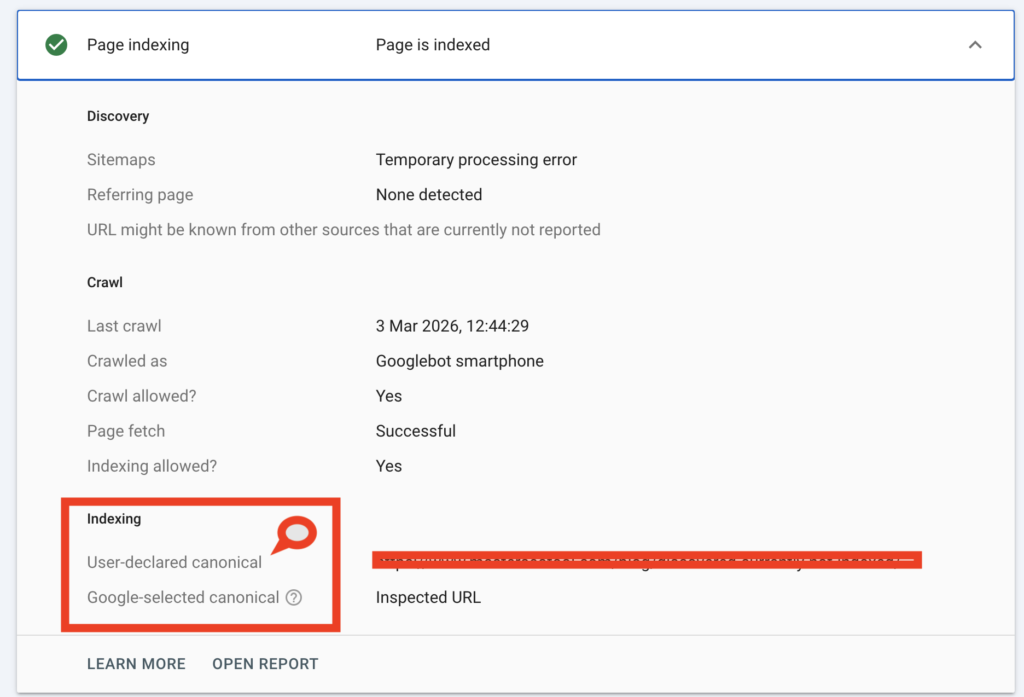
In practice, Google tends to evaluate canonical signals in a hierarchy.
| Signal | Strength |
|---|---|
| 301 Redirect | Very Strong |
| rel=”canonical” tag | Strong |
| Internal linking consistency | Medium-Strong |
| XML Sitemap reinforcement | Supporting |
If your canonical tag declares one URL but internal links consistently point to another version, Google often trusts the internal linking pattern instead.
Canonical conflicts can also overlap with crawl priority problems. When a site exposes multiple competing URL versions, Google sometimes delays crawling decisions until stronger structural signals appear. I often see this situation on growing websites, which is exactly the pattern I explained in Discovered – Currently Not Indexed, where Google discovers URLs but postpones crawling them until clearer signals emerge.
Structural Mistakes That Usually Cause This Issue
Across many technical SEO audits, the same structural mistakes appear repeatedly.
| Mistake | Result |
|---|---|
Linking to both /page and /page/ | Authority split |
| Sitemap lists non-canonical version | Signal confusion |
| Using 302 instead of 301 redirects | Weak consolidation |
| Internal links contain parameters | Duplicate candidates |
| Robots rules expose duplicate paths | Competing crawl signals |
Google rarely becomes confused randomly. In almost every case it is responding to inconsistent structural signals across the website.
One of the most common causes of duplicate without user-selected canonical is inconsistent URL formatting across a site. If internal links point to multiple variations such as trailing slash versions or parameter URLs, Google may interpret those pages as duplicates and choose a different canonical automatically.
My Workflow for Fixing Canonical Conflicts
When I encounter duplicate without user-selected canonical, I follow a structured diagnostic workflow.
Step 1 — Verify Which Version Google Indexed
Before making any structural changes, I confirm which version of the page Google actually indexed. Sometimes Google has already selected the correct canonical, which means intervention is unnecessary. I usually verify this quickly using Google Index Checker, because it helps confirm whether the preferred URL is already recognized in Google’s index.
Step 2 — Fix Host and Protocol Consistency
Canonical conflicts frequently start at the domain level. If both WWW and non-WWW versions resolve without proper redirects, Google receives mixed signals about which domain should represent the website. I always verify host consistency first by running tests with WWW Redirect Checker, ensuring all versions consolidate into a single canonical host.
Step 3 — Align Sitemap Signals
Your sitemap should reinforce canonical decisions rather than introduce conflicting URLs. If multiple versions of the same page appear inside the sitemap, Google receives inconsistent signals. When I find this issue, I rebuild the sitemap using XML Sitemap Generator so that only canonical URLs remain listed.
Step 4 — Remove Duplicate URL Variations
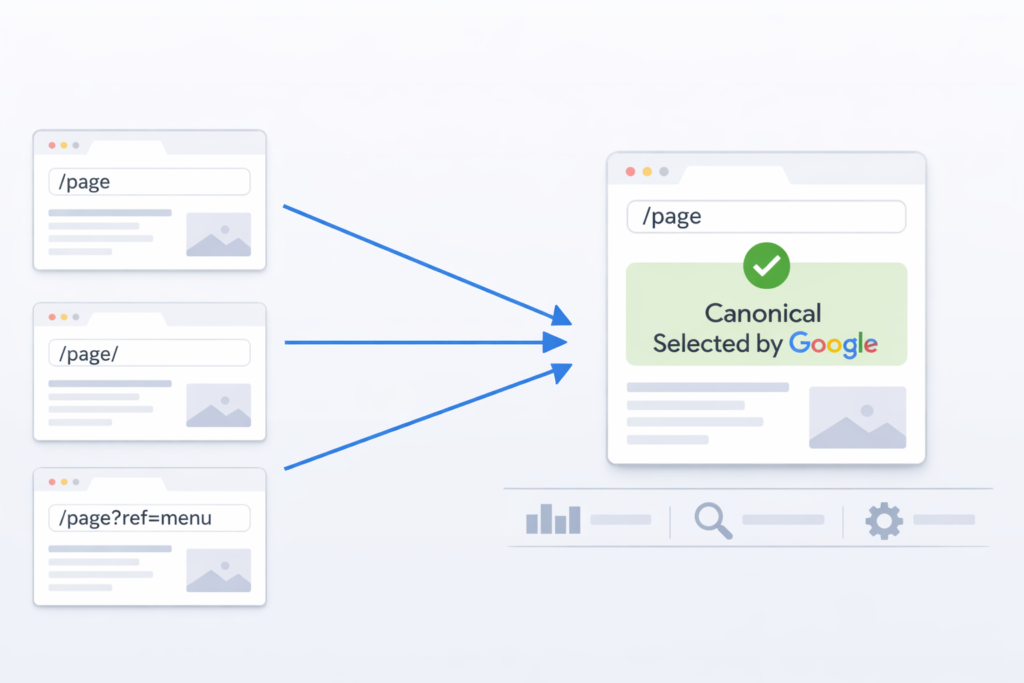
Canonical conflicts often appear because small URL variations accumulate across the site.
| Pattern | Example |
|---|---|
| Trailing slash inconsistency | /page vs /page/ |
| Parameter URLs | ?utm=source |
| Host variation | www vs non-www |
| Protocol inconsistency | http vs https |
If internal links reference these variations, authority fragments across multiple URLs.
Step 5 — Reinforce Internal Link Discipline
Internal links act like repeated signals telling Google which page should represent a topic. When internal links point to multiple variations of the same URL, Google may treat those variations as separate canonical candidates. This situation sometimes overlaps with indexing hesitation, which I explored in Crawled – Currently Not Indexed Fix, where Google crawls a page successfully but still delays indexing due to structural ambiguity.
If crawl directives also allow duplicate paths, reviewing crawl rules with Robots.txt Generator can help ensure unnecessary URL variations do not compete for indexing attention.
A Real Case From One of My Audits
During one audit I found a page appearing in three different formats across the site.
The canonical tag declared:
/technical-audit
Internal links pointed to:
/technical-audit/
And the sitemap listed:
/technical-audit?ref=menu
All three URLs represented the same content.
Google selected the clean base URL and marked the other versions as duplicates under duplicate without user-selected canonical.
I fixed the issue by:
- Standardizing trailing slash usage
- Removing parameter links
- Regenerating the sitemap
- Enforcing clean 301 redirects
No content rewrite was necessary. Within a few weeks, the canonical stabilized.
When You Should Not Intervene
Sometimes Google automatically selects the correct canonical URL.
If:
- Google-selected canonical is correct
- Rankings remain stable
- Traffic flows normally
Then intervention may not be necessary.
Canonical consolidation is a normal part of how Google processes duplicate content.
Decision Framework
| Scenario | Action |
|---|---|
| Google selected correct canonical | Monitor |
| Google selected wrong canonical | Align signals |
| Parameter URLs indexed | Remove internal references |
| WWW / HTTPS inconsistent | Fix redirects |
| Thin duplicate pages | Merge or differentiate |
Canonical Resolution Checklist
Before I consider the issue resolved, I confirm the following signals:
- Canonical tag is correct
- Only one indexable host version exists
- HTTPS is enforced
- 301 redirects consolidate duplicates
- Internal links use one consistent URL format
- Sitemap lists canonical URLs only
- Parameter URLs are not indexed
- URL Inspection confirms canonical alignment
Once these signals agree, canonical instability usually disappears.
Related Indexing Situations
Canonical conflicts sometimes overlap with other indexing patterns. I have seen pages fully indexed but still invisible in search results because their authority signals remain diluted across duplicate URLs. I analyzed this situation in Page Indexed but No Impressions, where indexing alone does not guarantee visibility in search results.
FAQs
Why did Google choose a different canonical than the one I set?
Because your structural signals were stronger for another version. If internal links, redirects, or sitemap entries consistently point to a different URL, Google may trust that pattern over your canonical tag.
Does “duplicate without user-selected canonical” mean my page won’t rank?
Not necessarily. It simply means Google chose another version to represent the content. Rankings are affected only if the wrong version is selected.
How can I check which URL Google actually indexed?
Use URL Inspection in Search Console to compare Google-selected and user-declared canonicals. You can also verify the indexed version using your Google Index Checker.
Can this issue hurt crawl budget?
On small sites, the impact is minimal. On larger or growing sites, duplication can spread crawl focus across similar URLs and slow indexing stability.
Should I add more canonical tags to fix it?
No. Adding more tags won’t help if your redirects and internal links contradict them. Canonical stability comes from signal alignment, not tag repetition.
How long does it take to resolve after fixing signals?
Once redirects, internal links, and sitemap are aligned, canonical stabilization usually happens within 1–3 weeks.
Final Perspective
When Google overrides your canonical, it’s not fighting you.
It’s responding to mixed structural signals.
One URL.
One intent.
One consistent signal set.
That’s how you prevent authority dilution.
That’s how you stabilize indexing.
That’s how you build long-term search trust.
Resolving duplicate without user-selected canonical situations is usually not about changing the content itself. Instead, the solution is structural consistency — one canonical URL, consistent internal links, and clean redirect rules that reinforce the same preferred version across the entire site.