

Quick Answer
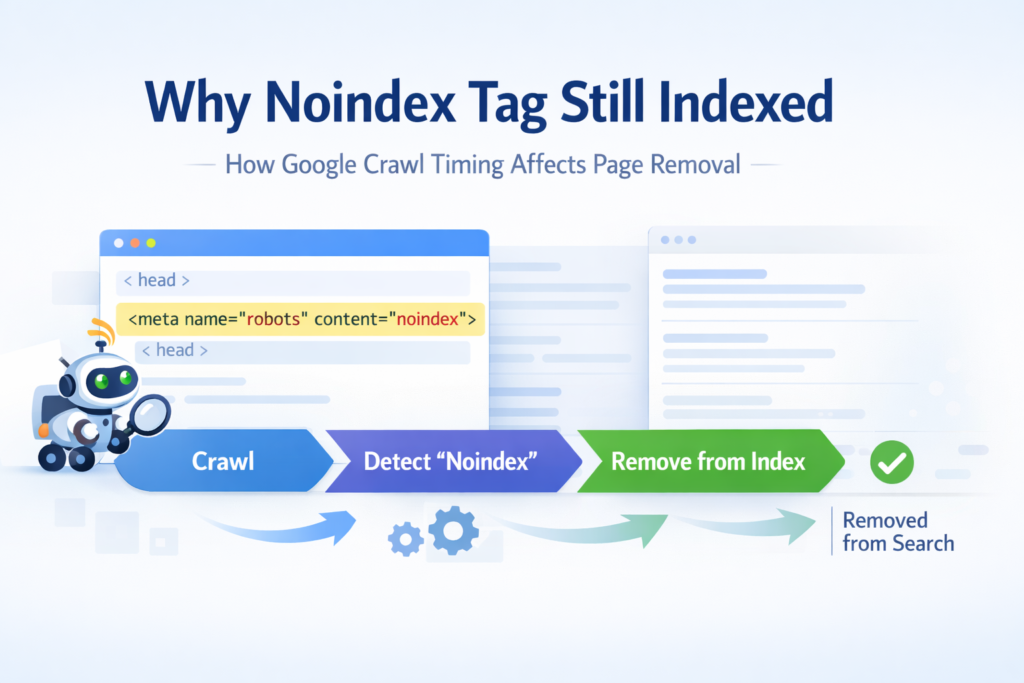
If you’re wondering why noindex tag still indexed, the most common reason is simple: Google has not re-crawled the page since the noindex directive was added.
A page will only be removed from search results after Googlebot crawls the page again and processes the noindex instruction.
If the page is blocked, rarely crawled, or low priority, removal can take several days or even weeks.
In most SEO audits I run, the tag is correct — the delay comes from crawl timing, crawl access, or signal conflicts, not from a broken noindex implementation.
What Is a Noindex Tag in SEO
Before diagnosing why noindex tag still indexed, it helps to understand what the directive actually does.
A noindex tag is a meta robots directive placed inside the HTML of a page that tells search engines not to include that page in search results.
The most common implementation looks like this:
<meta name="robots" content="noindex">
Once Google crawls the page and detects this directive, the URL becomes eligible to be removed from the search index.
However, there is a key detail many site owners overlook.
Google must crawl the page again before the directive can take effect.
Until that crawl happens, the previously indexed version can remain visible in search results.
This crawl timing issue explains most situations where people ask why noindex tag still indexed.
Contrarian Take: You Didn’t Break It — You Interrupted It
If you’re stressing about why noindex tag still indexed, pause for a moment.
Google is usually not ignoring your directive.
What often happens is that the removal process gets interrupted.
In many audits I perform, site owners notice the page still indexed and immediately start making multiple changes at once.
They block the page.
They delete the URL.
They add redirects.
They remove the page from the sitemap.
Ironically, those reactions can slow removal down rather than speed it up.
Google removes pages after it crawls and reprocesses them.
If the crawler cannot access the page again, the directive cannot be confirmed.
No crawl means no reprocessing.
And without reprocessing, the indexed state remains active.
That’s why noindex tag still indexed appears so often in real SEO situations.
Evidence: What Actually Happens Behind the Scenes
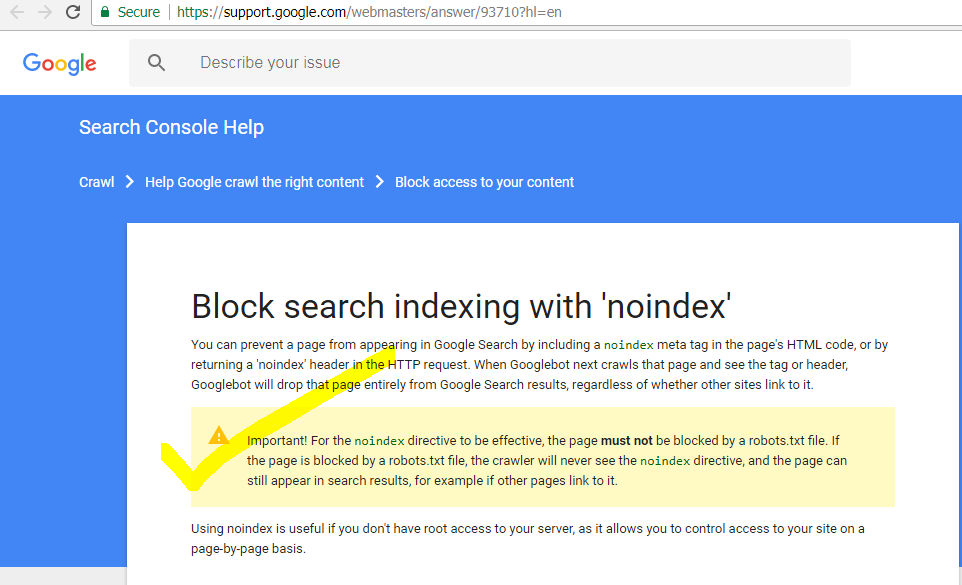
Google’s official documentation confirms that a noindex directive is respected only after crawling and processing.
You can verify this in the official Google Search Central noindex documentation, which explains that Google must crawl the page again before the removal instruction is applied.
This means the directive may already exist on the page while the indexed version remains temporarily visible in search results.
During technical SEO audits inside Search Console, I often see patterns like this:
| What You See | What It Really Means |
|---|---|
| Page still indexed | Google crawled before the noindex tag was added |
| URL inspection shows old crawl date | Directive not processed yet |
| Page blocked by robots.txt | Google cannot detect the noindex |
| Page appears in site search | Cached index still active |
Indexing is crawl-driven.
It is not instant.
To double-check whether a page is truly indexed, I usually confirm using the Google Index Checker instead of relying only on delayed reporting.
This situation is also closely related to indexing states explained in indexed but not submitted in sitemap, where Google knows about the URL but has not fully processed its signals yet.
Why Noindex Tag Still Indexed (Short Explanation)
If you’re still asking why noindex tag still indexed, the explanation usually comes down to the processing sequence.
Google follows a simple process:
- Crawl the page
- Detect the noindex directive
- Reprocess the index entry
Until these steps happen, the page may continue appearing in search results even though the directive is already present.
In most real SEO audits, the delay comes from crawl timing rather than a technical failure.
The 4-Signal System I Use in Real Audits
When I investigate why noindex tag still indexed, I don’t guess.
I follow a structured diagnostic system.
Crawl Access
The first question I ask is simple:
Can Googlebot access the page right now?
Common problems I encounter include:
• Page disallowed in robots.txt
• Temporary redirects blocking the crawler
• Authentication restrictions
• Soft 404 behavior
If Google cannot crawl the page, it cannot detect the noindex directive.
When I suspect a robots conflict, I validate the rule using the Robots.txt Generator.
Blocking the page before removal is one of the most common mistakes I see.
Directive Accuracy
I never assume the CMS applied the directive correctly.
Instead I verify:
• The tag exists in the live HTML
• It is inside the <head> section
• It is visible to crawlers without JavaScript delay
• Mobile and desktop versions match
To confirm exactly what search engines see, I often use the Meta Tags Analyzer.
Inconsistent implementations are another reason people ask why noindex tag still indexed.
Canonical and Noindex Conflict
Another situation I encounter during audits involves conflicting signals.
The page contains:
A canonical tag pointing to another URL
and
a noindex directive.
Canonical says another page should represent the content.
Noindex says this page should not appear in search results.
When both signals exist together, Google may process canonical consolidation first.
This can delay the visible removal of the page.
Crawl Priority
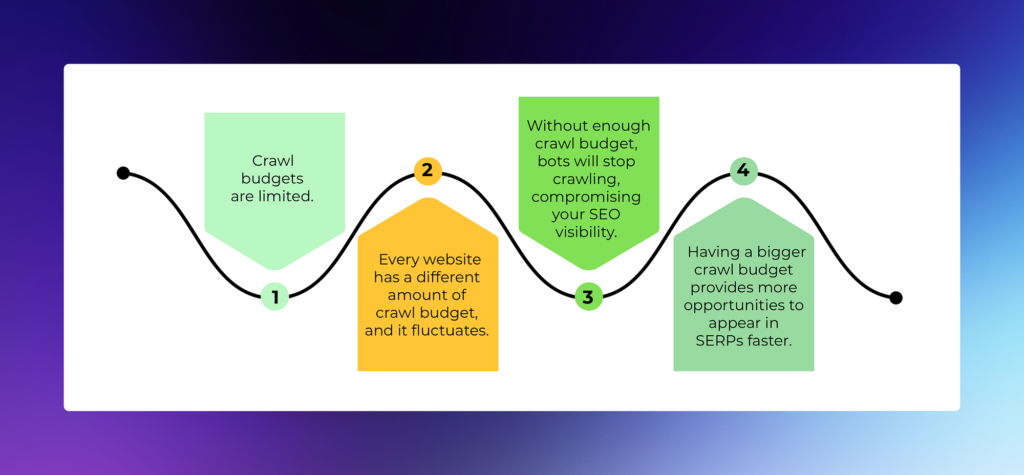
Crawl priority also plays a role.
If the page has:
• no internal links
• no sitemap signals
• no authority signals
Google may crawl it much less frequently.
This connects directly to the concept explained in what is crawl budget in SEO.
Low-priority pages are revisited slower.
And slower crawling means slower removal.
Status Confusion
Sometimes the issue is not a noindex problem at all.
I have audited cases where people panic about why noindex tag still indexed, but the page is actually in the state explained in Crawled – Currently Not Indexed.
That is not a directive problem.
That is a quality or ranking evaluation.
Another related situation occurs when pages remain in the state described in Discovered – Currently Not Indexed, where Google knows the URL but has not prioritized crawling it yet.
Understanding the difference prevents fixing the wrong problem.
Quick Checklist to Fix Noindex Tag Still Indexed
When I diagnose why noindex tag still indexed, I run this checklist first:
- Confirm the page is actually indexed
- Check the last crawl date in URL inspection
- Verify the directive exists in the HTML
- Ensure the page remains crawlable
- Request reprocessing through Search Console
In most cases, the page disappears from search results after the next crawl cycle.
Implementation: What I Actually Do Step by Step
Step 1 — Verify Index Status
I confirm the page appears in Google using:
• site search
• URL inspection
• external index verification tools
Sometimes the page is already removed and reporting is simply delayed.
Step 2 — Compare Crawl Date
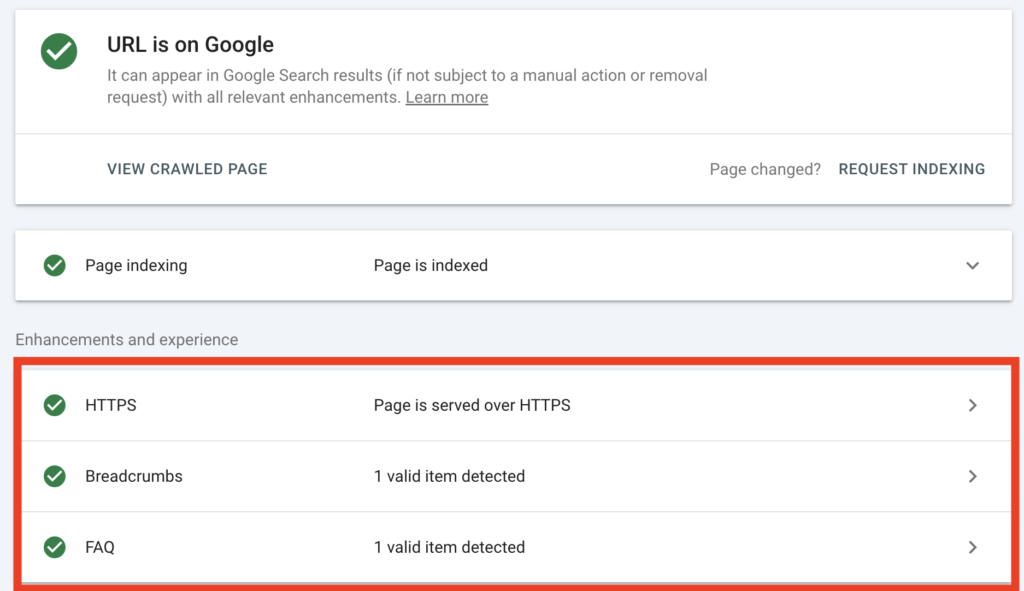
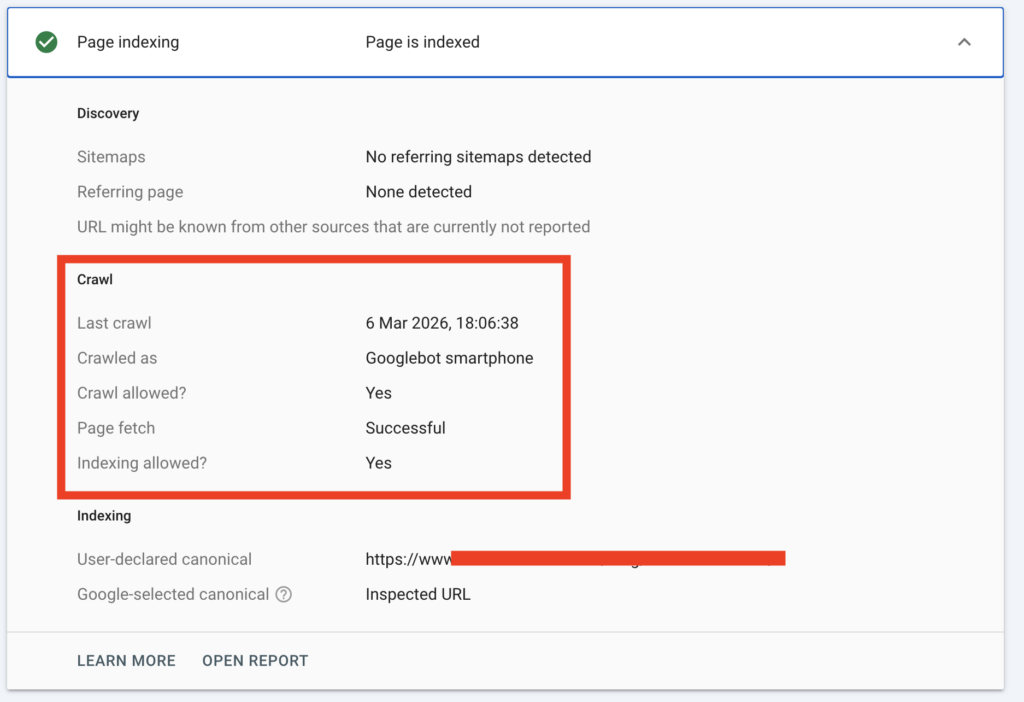
If Google has not crawled the page since the directive was added, the explanation becomes clear.
No crawl means no removal.
Step 3 — Keep the Page Crawlable
One of the biggest mistakes I see is blocking the page too early.
I do not immediately:
• block the page with robots.txt
• remove internal links
• redirect the URL
Instead, I allow Google to crawl it once more.
Step 4 — Temporarily Increase Crawl Signals
If the page has become isolated, I sometimes add a temporary internal link.
Even a single contextual link can trigger a faster crawl.
Step 5 — Request Reprocessing
Once everything is aligned, I request indexing in Search Console.
This often accelerates reevaluation.
Realistic Timeline Expectations
| Domain Strength | Typical Removal Time |
|---|---|
| New site | 3–6 weeks |
| Moderate authority | 1–3 weeks |
| Strong domain | A few days |
| Blocked prematurely | Can remain indexed indefinitely |
Common Mistakes That Cause Delays
Across many SEO audits I have run, the same mistakes appear repeatedly:
• Adding noindex and blocking the page at the same time
• Expecting instant removal
• Removing the page from the sitemap too early
• Forgetting mobile implementation
• Conflicting canonical signals
These mistakes often lead site owners to believe the directive failed.
In reality, the process was simply interrupted.
FAQs
1. Why is my page still indexed after adding noindex?
Because Google has not processed the directive yet. In most cases, the page stays indexed until Google crawls it again and rechecks the page.
2. How long does noindex take to remove a page from Google?
It depends on crawl frequency. On stronger sites it can happen in a few days. On low-priority pages, it can take a few weeks.
3. Can robots.txt stop noindex from working?
Yes. If robots.txt blocks the page, Google may not be able to crawl it and see the noindex tag. That often delays removal.
4. Should I remove internal links after adding noindex?
Not immediately. I usually keep the page crawlable until Google processes the directive. Removing links too early can slow recrawling.
5. Why is my noindex tag correct but the page still appears in search?
Because a correct tag is not enough by itself. Google still needs access, a fresh crawl, and time to update the index.
6. Can a canonical tag conflict with noindex?
Yes. If the page points to another canonical URL, Google may first process that signal, which can delay the removal from view.
Final Perspective
When someone asks me why noindex tag still indexed, the first thing I check is not the code itself.
In most cases, the implementation is technically correct.
What usually fails is the processing sequence Google relies on to remove a page from its index.
From my experience auditing indexing issues, Google follows a very clear workflow before a page disappears from search results.
The process typically looks like this:
- Access – Googlebot must be able to reach the page
- Crawl – The crawler revisits the URL
- Detection – The noindex directive is discovered
- Reprocessing – Google updates the index and removes the page
If any step in that sequence is interrupted — for example by robots.txt blocking, crawl delays, or signal conflicts — the page can remain indexed longer than expected.
That’s why understanding the crawl and processing sequence is often more important than changing the directive itself.
Once Google can crawl the page again and detect the instruction clearly, the index usually corrects itself naturally.